Deactivate dependencies between Tasks
|
Task planning in the Schedule > Define dependencies between Tasks > Deactivate dependencies between Tasks |
To deactivate a dependency between two tasks without deleting the dependency, proceed as follows:
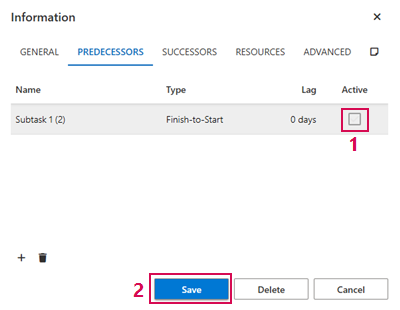
➢Open the information window of one of the two tasks. (see Define dependencies between operations - Information Window)
➢Click on the Predecessor or Successor tab - depending on the relationship you want to edit.
Or
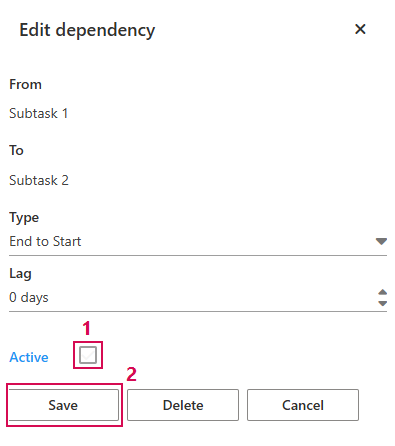
➢Double-click on the dependency arrow in the Gantt chart. ▶ The Edit dependency field opens.
➢Click on the Active checkbox. (1) ▶ The checkbox is deactivated.
➢Click on Save. (2)