Deactivate Task
|
Task planning in the Schedule > Task Attributes > Deactivate Task |
You can deactivate tasks in the TPG Scheduler. Proceed as follows:
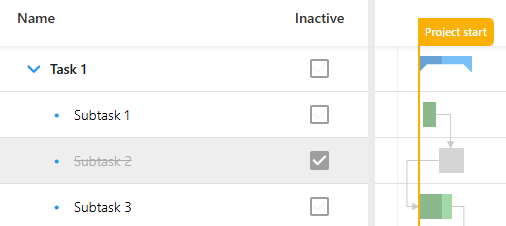
➢Show the Inactive column. (see Schedule - Table) ▶ Checkboxes appear in the task rows.
➢Click on the checkbox of the task in the Inactive column.
▶ The task is crossed out in the table view and the task bar is colored gray in the Gantt chart.
Or
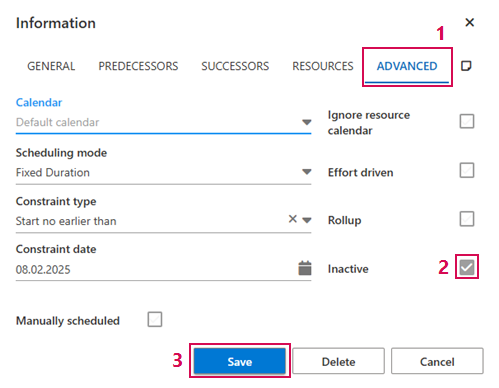
➢Open the information window of the task. (see Define dependencies between Tasks - Information Window)
➢Click on the Advanced tab. (1)
➢Click on the Inactive checkbox. (2)
➢Click on Save. (3)
▶ The task is crossed out in the table view and the task bar is colored gray in the Gantt chart.