Project Overview
|
Project > Project Overview |
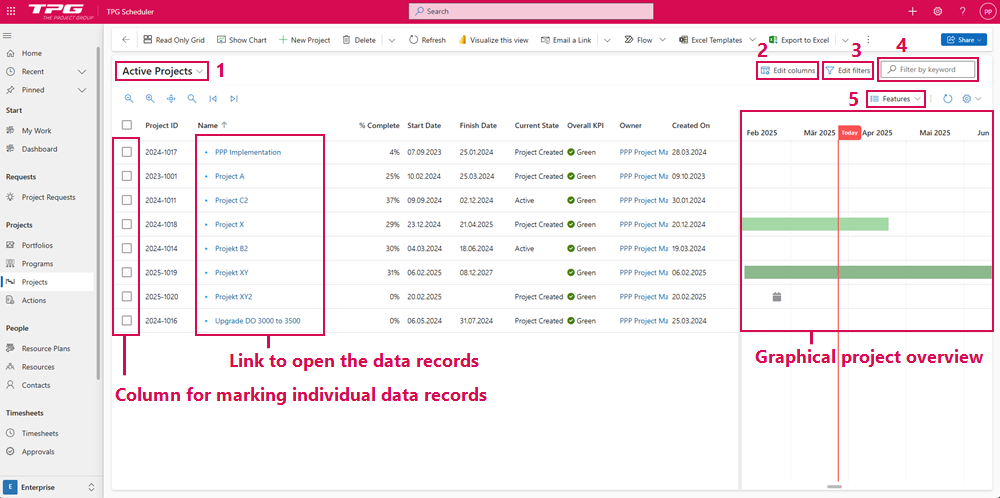
In TPG PPP you will find a list of projects under Projects. All active projects are listed by default.
The views are divided into two areas:
▪Table: Columns for selecting individual data records, links for opening the data records and other columns that you can select via Edit columns (2).
▪Graphical: Graphical project overview with various Features (5).
There are options to customize the view:
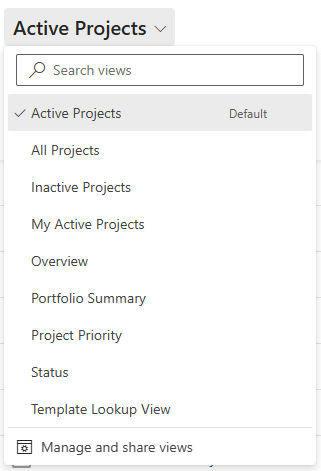
▪Selection menu of displayed projects (1): Active projects are displayed by default. Further display options are available for selection:
▪Click on the arrow. ▶ A drop-down menu opens.
▪Click on the desired display option.
▪Edit columns (2): Add columns and change the order of the columns using drag & drop.
▪Click on Edit columns. (2) ▶ A form opens.
▪Click on Add columns and select the columns you want to add.
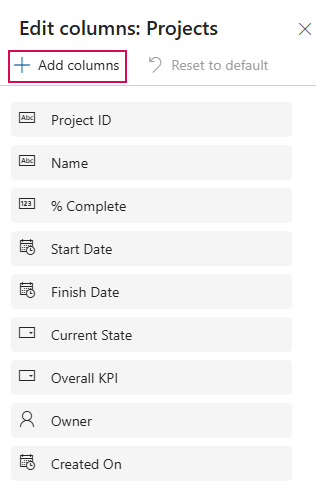
▪Click on the column you want to move and drag the column to the desired position while holding down the mouse button.
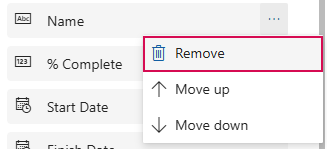
▪Click on the 3 dots in the column and select Remove from the drop-down menu to delete a column.
▪Click Reset to default to restore the default settings.
▪Click on Apply to apply the changes to the view.
▪Edit filters (3): Filter options for displayed projects.
➢Click on Add. ▶ A drop-down menu opens.
➢In the drop-down menu, select whether you want to add a row, a group or an associated entity.
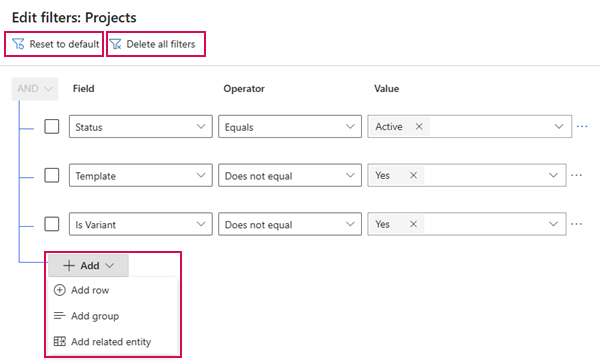
➢Set the attributes according to which the projects are to be filtered.
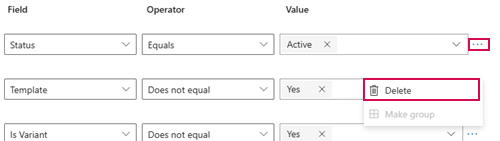
➢Click on the three dots next to the filter and click on Delete to delete a filter.
➢Click on Delete all filters to delete all filters.
➢Click Reset to default to restore the default settings.
➢Click on Apply. ▶ Only the projects to which the desired filters apply are displayed in the table.
▪Filter by keyword (4):
➢Click on the Filter by keyword field.
➢Enter the keyword you want to filter by.
➢Click on the cross in the Filter by keyword field to delete the filter.
▶ The projects whose names contain the keyword are displayed.
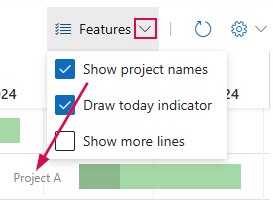
▪Features (5): Elements in graphical overview.
➢Click on the arrow. ▶ A drop-down menu opens.
➢Click on the elements to be displayed in the graphical overview.