Schedule - Views
|
Task planning in the Schedule > Schedule - Views |
Task planning and resource allocation take place on the Schedule tab. TPG Scheduler provides a tabular (left) and graphical (right) overview of the project:
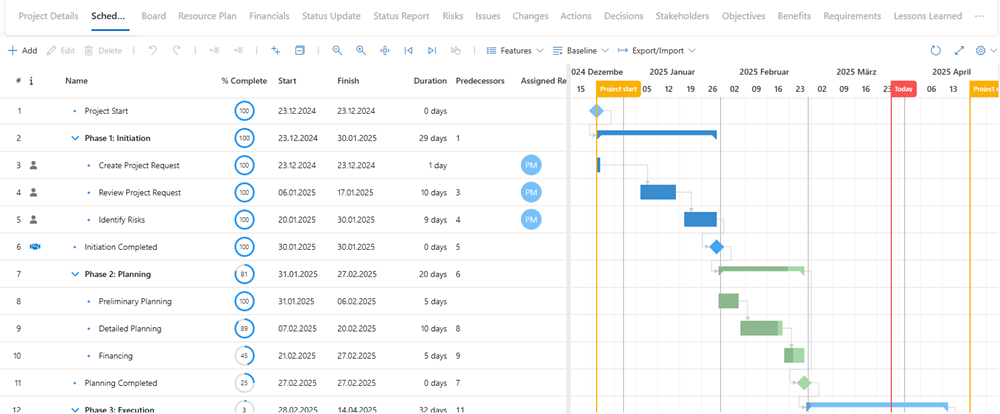
▶ You can customize your display settings. These settings will be saved.
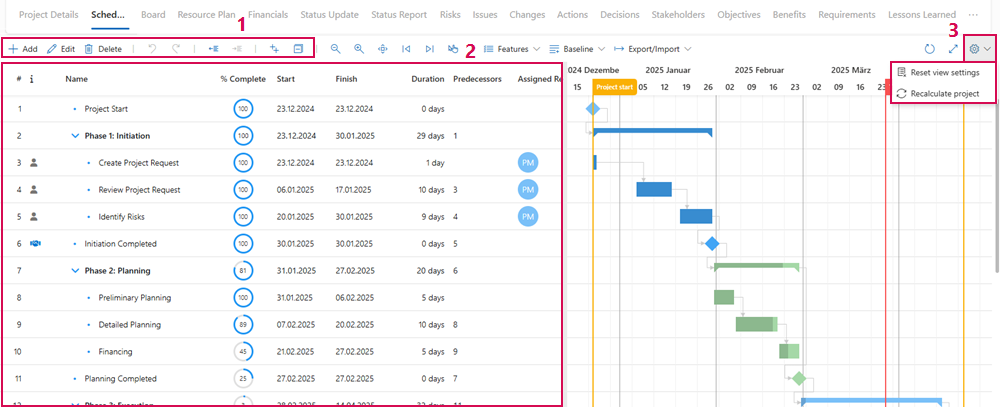
Tabular view and functions:
▪Buttons for adding, editing, hiding and displaying tasks (1)
▪Listing, properties and editing of tasks (2)
▪Restoration of the standard display and immediate recalculation of the project (3)
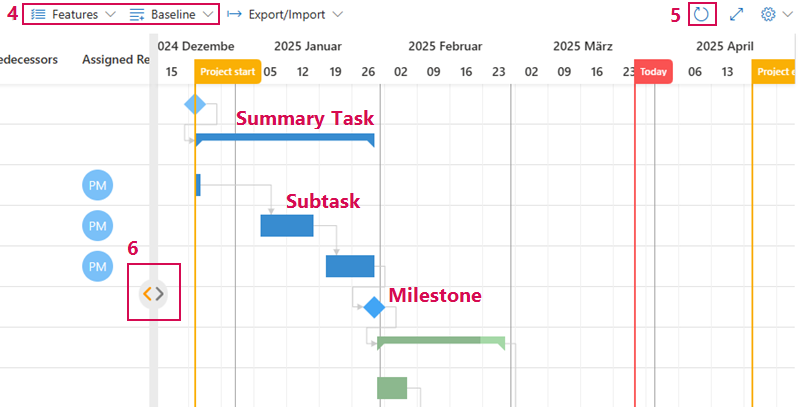
Graphical View as Gantt Chart and Functions:
▪Gantt Chart with summary tasks, subtasks, milestones, etc.
▪Display options for Gantt Chart (4)
▪Reload the schedule (5)
▪Switch views (6)
➢Click on the right arrow ▶ table view only
➢Click on the left arrow ▶ chart view only
▶ The divider can be moved left or right by holding down the left mouse button.