Progress Indicator
|
Task planning in the Schedule > Task Attributes > Progress Indicator |
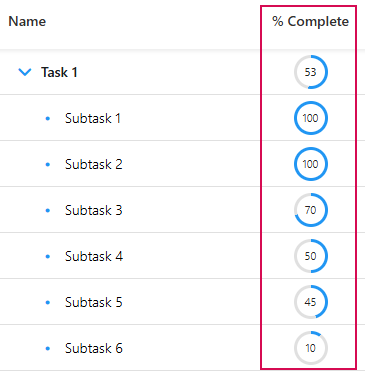
You can specify the percentage of completion for each task using the progress indicator. The progress indicator is found in the %Complete column. This column is displayed by default.
➢Select the task to which you want to assign a progress.
➢Double-click the %Complete cell.
➢Enter the progress percentage in the field.
▶ The percentage of progress will be displayed.
▶ The percentage is calculated automatically for summary tasks.
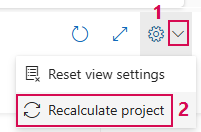
Recalculate total project progress:
➢Click on the down arrow on the right-hand side of the screen. (1) ▶ The drop-down menu opens.
➢Click on Recalculate project. (2)
▶ The total project progress is recalculated.