Budget Planning
Labor costs are not calculated automatically in TPG PPP. You can enter financial data on the Financials tab for a cost overview:
▶ The functions of the buttons are the same as in the Resource Plan tab. (see Resource Plan tab - create resource plan manually)
➢Go to the Financials tab.
➢For each cost item, create rows for the Budget, Forecast and Actual cost types:
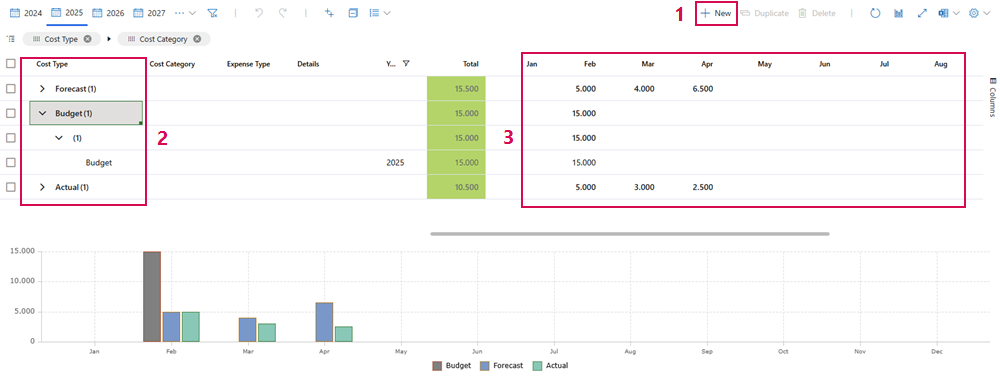
➢Click on New. (1)
➢Click in the Cost Type cell. ▶ A drop-down menu opens.
➢Click on Budget, Forecast or Actual. (2)
➢Enter the available budget and the expected costs for each time period of the project.
➢Click in the cell of the desired time period. (3)
➢Enter the amount.
▶ Total updates automatically.
Add to or update the actual data and forecasts as the project progresses.
▶ Totals are also displayed on the Project Details tab under Project Estimates. (see Project Details)