Deactivate and Activate Status Update
By default, status updates are active. You can deactivate status updates:
➢Select the status update you want to deactivate.
➢Click on the row of the status update to select it. (1)
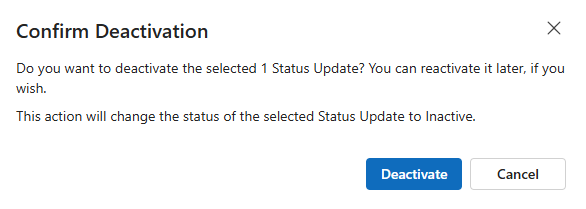
➢Click on Deactivate. (2)

▶ The Confirm Deactivation field opens.
➢Click Deactivate to deactivate the status update.
Activate status update:
➢Select the status update as described above.
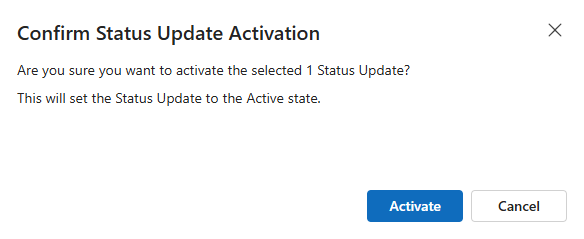
➢Click on Activate.

▶ The Confirm Status Update Activation field opens.
➢Click Activate to activate the status update.
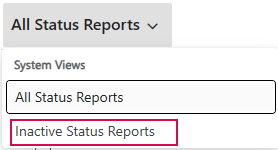
By default, all active and inactive status updates are listed in the table. You can display only inactive status updates in the table:
➢Go to All Status Reports.
➢Click the down arrow.
➢Click on Inactive Status Reports.