Effort
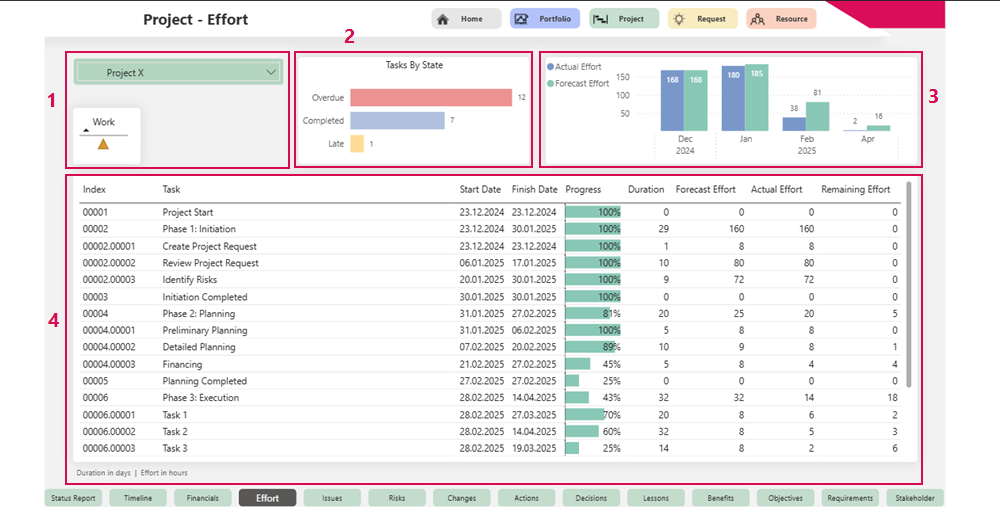
The Effort tab provides a detailed overview of all efforts in the project:
▪Project name and traffic light display for evaluating the amount of work involved (1)
▪Status overview of tasks:
A bar chart (2) shows the current status of all tasks, divided into:
▪Overdue tasks
▪Completed tasks
▪Delayed tasks
▪Comparison of actual and estimated effort:
A column chart (3) compares the actual effort with the estimated effort.
▪Tabular list of tasks:
Below the charts, you will find a table (4) listing all tasks, including:
▪Start Date and Finish Date
▪Progress
▪Duration
▪Forecast Effort
▪Actual Effort
▪Remaining Effort