Product Information
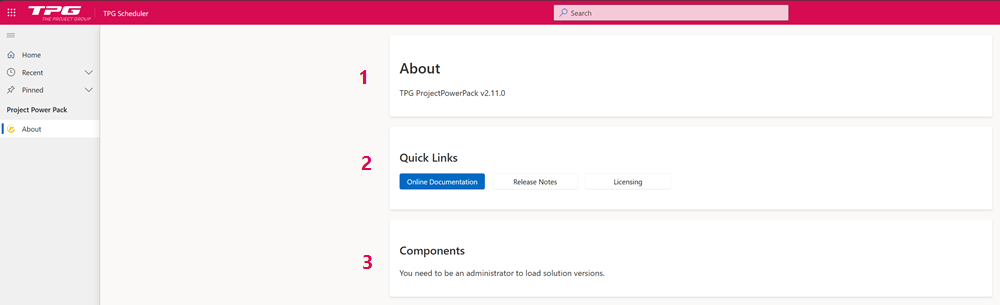
In the About section, you will find important information about PPP:
▪Version number (1)
▪Links to user manuals, release notes, and licenses (admin only) (2)
▪Integrated components (admin only) (3)
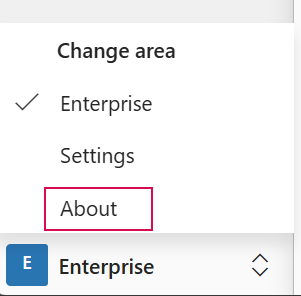
To access the product information, follow these steps:
➢Click on Enterprise in the bottom navigation bar. ▶ A dropdown menu will appear.
➢Click on About.
▶ The About section with the product information will open.
Opening User Guides and Release Notes:
➢Click on Online Documentation to access the User Guides.
Or
➢Click on Release Notes to access the Release Notes.
▶ The TPG Help Portal will open.
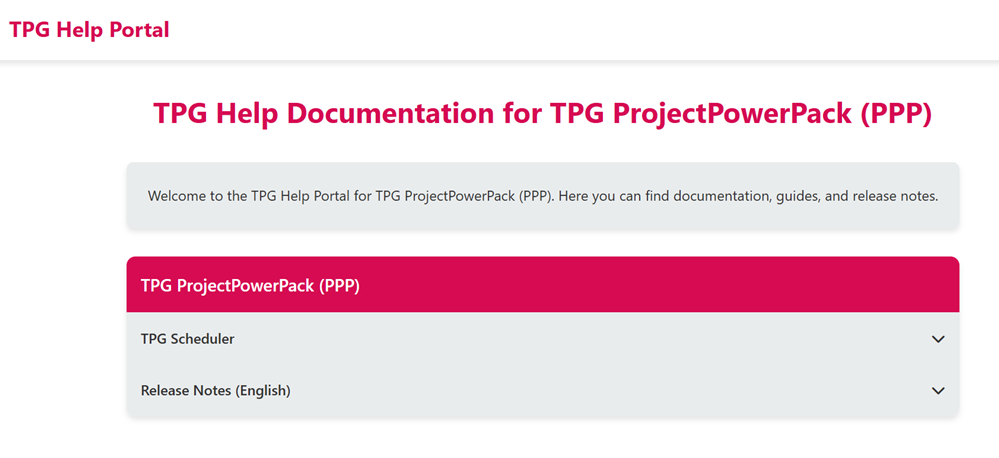
➢Click on TPG Scheduler. ▶ A dropdown menu will appear.
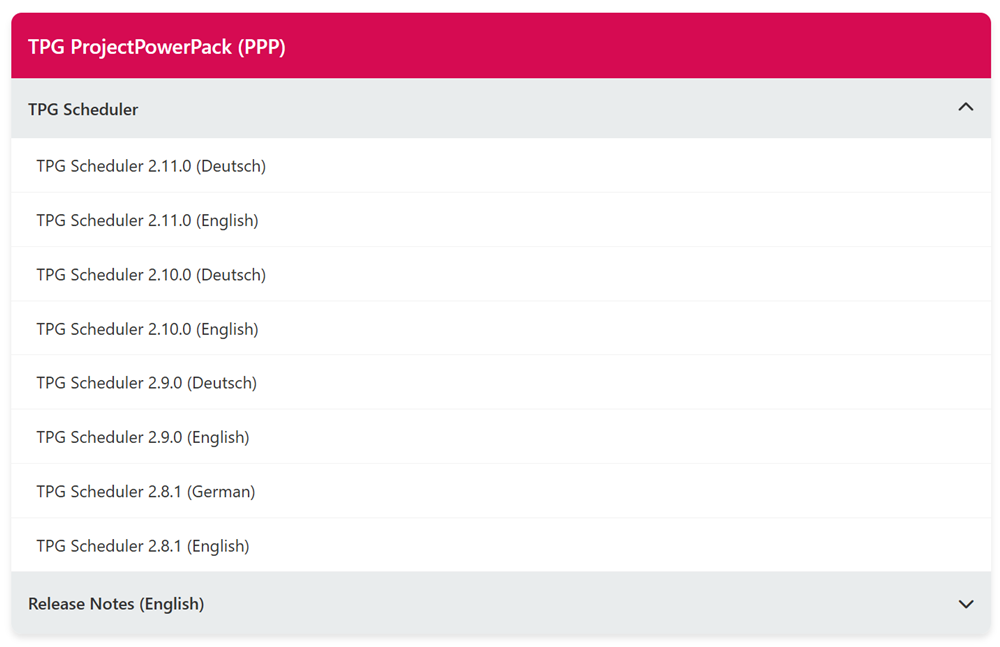
➢Click on the User Guide that corresponds to the version number of your installed product. ▶ The User Guide will open.
▶ To open the Release Notes, follow the steps described above.