Project Team Tab - Assemble project team manually
▶ Only for project types with the Project Team tab.
➢Go to the Project Team tab.
➢Click on New Team Member.

▶ Resource type Company is preset. I.e. a member of your organization that is listed under Resources.
➢Click in the Resource field.
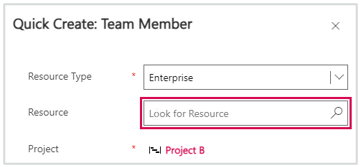
➢Search for the desired person.
➢Add further team members: Click on the arrow next to the Save button and select Save & Create New.
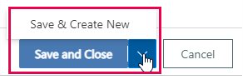
➢Click Save and Close to complete the task.
Add people to the project team who are not listed as a resource:
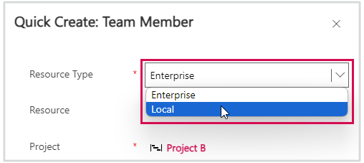
➢Select the Local resource type in the Quick Create form.
➢Enter the name of the person you want to add to the project team.
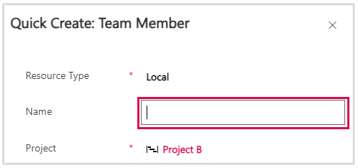
➢Click on Save and Close.
▶ Local resources cannot be entered in the resource plan. Local resources can be assigned in the schedule.