Add Note
You can add notes to a task in the TPG Scheduler.
➢Show the Note column. (see Schedule - Table)
➢Select the task to which you want to assign a note.
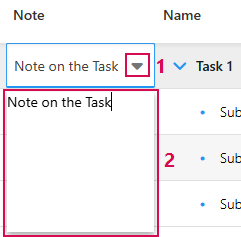
➢Double-click on the cell in the Note column.
➢Click on the arrow in the cell. (1) ▶ The note field opens.
➢Enter the note for the task. (2)
➢Click outside the note field to end the note.
▶ The note is added.
Or
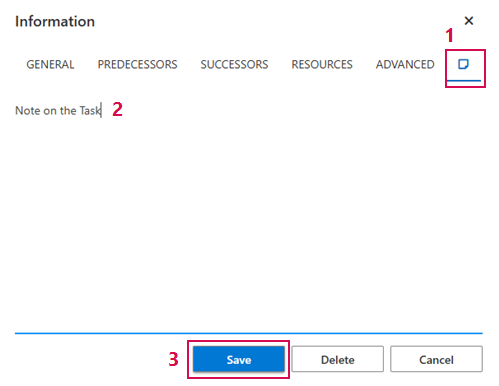
➢Open the information window of the task. (see Define dependencies between Tasks - Information Window)
➢Click on the pictogram on the right. (1)
➢Enter the note in the text field. (2)
➢Click on Save. (3)
▶ The note is added.