Assign permissions
Members of the project team without comprehensive permissions in PPP can only record their working hours if the project has been approved for them.
Here's how you can give selected individuals the necessary permissions:
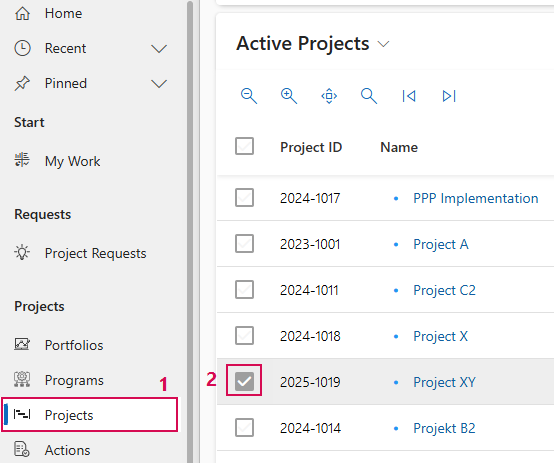
➢Click on Projects in the Navigation bar. (1)
➢Select the project from the list by clicking on the checkbox (2).
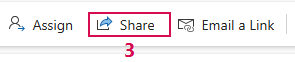
➢Click Share in the Command bar (3).
Or
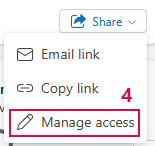
➢Click Share in the Command bar in the open project. ▶ The drop-down menu opens.
➢Click Manage access (4).
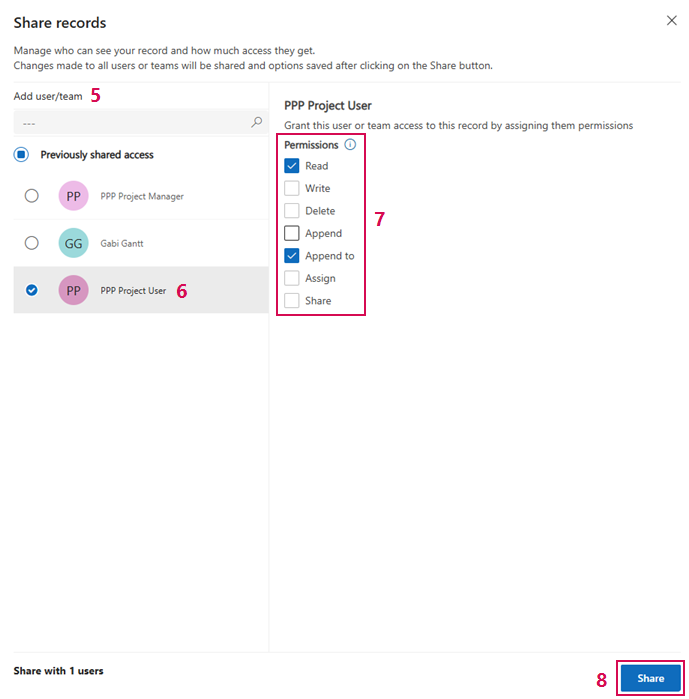
➢Click in the Add user/team field and search for a team member (5).
➢Select the person from the search results.
➢Click on the person's name or activate the checkbox (6).
➢Under Permissions (7), select at least Read and Append to.
➢Click on Share (8) in the bottom right corner.
▶ The project has been shared with the person in question. They are now authorized to record times.