Create a Variant
|
Project Variants > Working with Variants > Create a Variant |
To create a variant of a project plan, follow these steps:
➢Open the project for which you want to create a variant.
➢Click on Variants in the Command bar. ▶ The Project Variants sidebar will open. This area displays all previously created variants of the project.
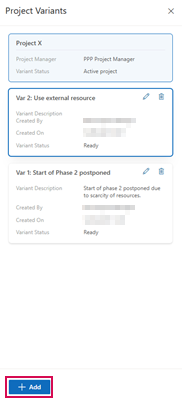
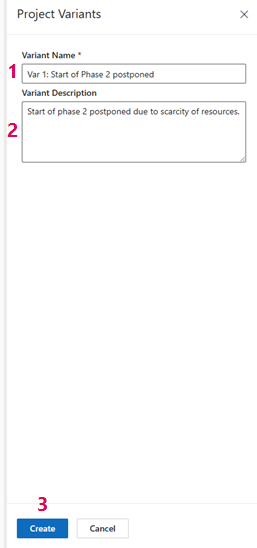
➢Click on Add. ▶ The fields Variant Name and Variant Description will appear.
➢Enter the name of the variant in the Variant Name field. (1)
➢Optionally, you can add a description for the variant. (2)
▶ Make sure to use a meaningful name and description. This will make it easier to compare with the original project and other variants later.
➢Click on Create. (3)
➢The variant is displayed in the Project Variants sidebar under the original project.
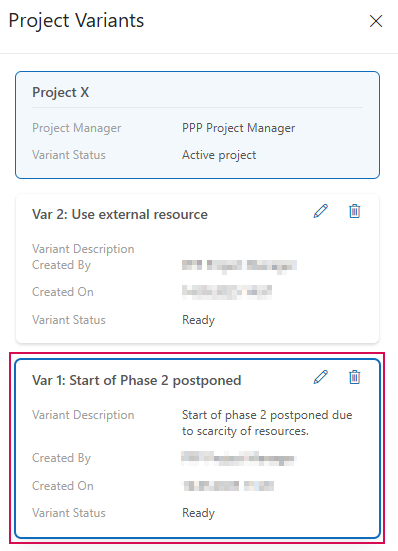
▶ The variant includes the schedule with assignments, the project team, the resource plan, and the financial plan of the original project.