Create Actions
|
Actions > Actions - current Project > Create Actions |
There are two ways to create an action:
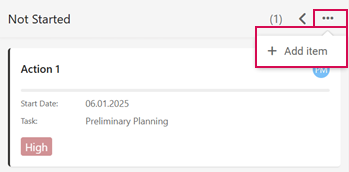
➢Click on the three dots on the right-hand side of the state column. ▶ A drop-down menu opens.
➢Click on Add item.
Or
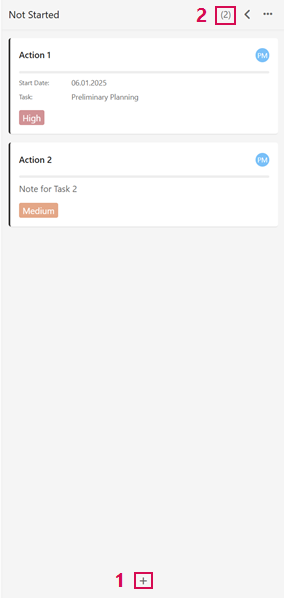
➢Click on the plus symbol in the state column below. (1)
▶ A new action is created and appears in the state column.
▶ The number of actions in the state column is updated automatically. (2)