Set Calendar for a Task
|
Task planning in the Schedule > Task Attributes > Set Calendar for a Task |
To calculate the task data, TPG Scheduler uses the calendar that is set on the Project Details tab in the project master data. The “Default” calendar is set by default. (see Project Details General)
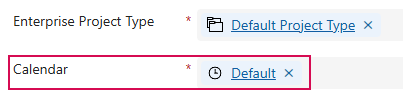
It is possible to use a different calendar for individual tasks.
▶ Calendars can be configured by an administrator in the Settings area.
Set task calendar for individual tasks:
➢Show the Calendar column. (see Schedule - Table)
➢In the task row, click on the cell in the Calendar column.
➢Click on the arrow on the right in the cell. ▶ The drop-down menu opens.
➢Click on the desired calendar.
▶ A task calendar for a single task is set.
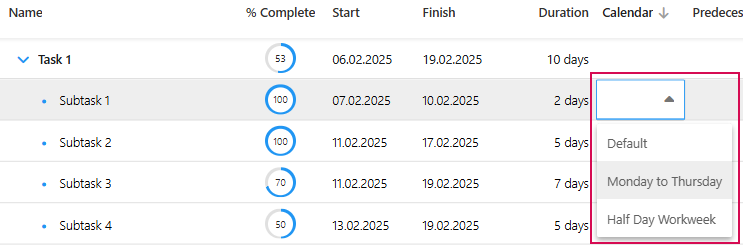
▶ If a calendar is changed, the finish date of the task is adjusted. The nominal duration remains unchanged. The effort is calculated at 8 hours per day, regardless of the daily working hours defined in the calendar.