User Interface
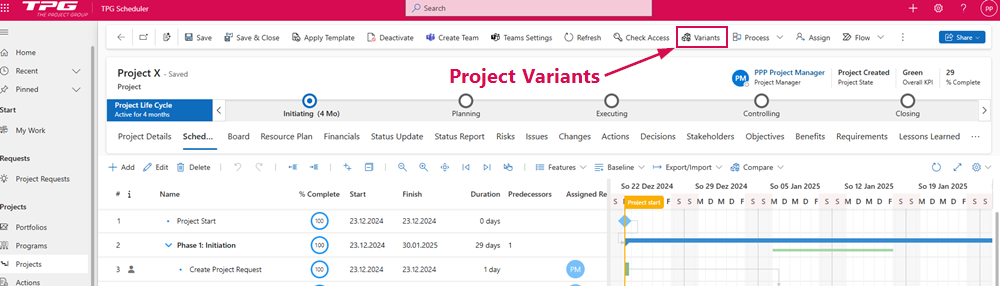
Project variants are created and opened in the Project Variants sidebar within the original project.
➢To open the Project Variants sidebar, open the original project and click on Variants in the command bar.
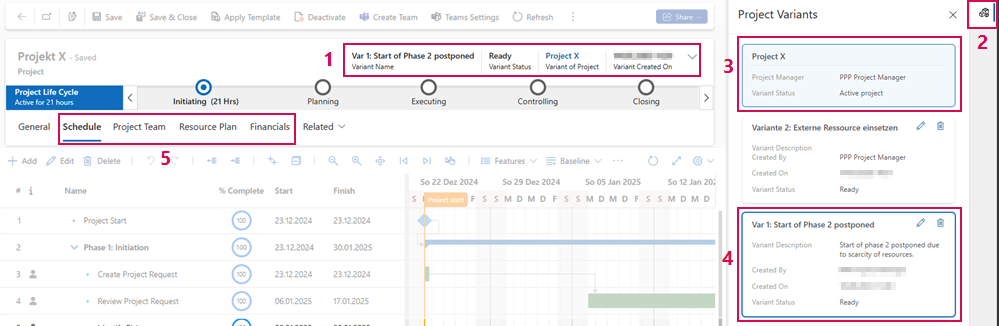
The user interface of the project variant is divided into the following areas:
▪Information about the currently opened variant and the name of the original project (1)
▪Show/hide Project Variant sidebar (2)
▪Original Project (3)
▪Variant whose project plan is currently open (blue framed) (4)
▪Tabs with copied data from the original project (5)
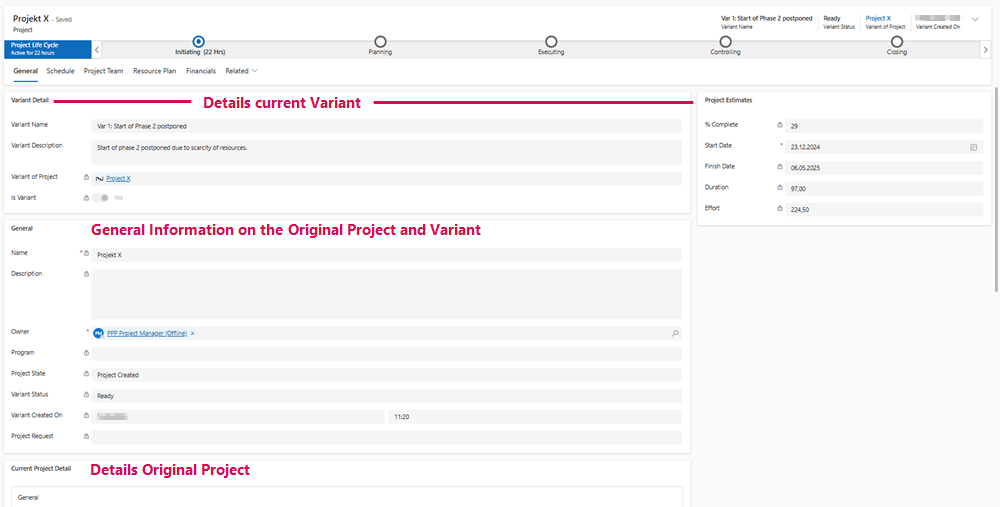
Under General, you will find data and information about the original project and the selected variant: