Delete or move Actions
|
Actions > Actions - current Project > Delete or move Actions |
On the Kanban board in the Action tab, you can delete actions, move them within a column, and move actions to a different column to assign them a different status. (see Actions - current Project)
Delete action:
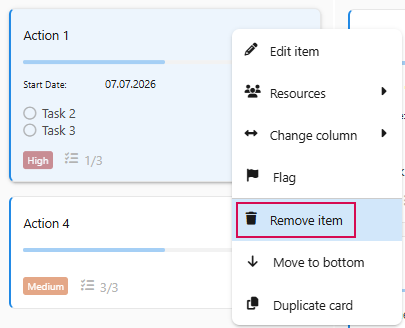
➢Select the action you want to delete.
➢Right-click on the action. ▶ A drop-down menu opens.
➢Click on Remove item.
Moving actions within a column:
➢Select the actions you want to move.
➢Use drag-and-drop to move the action to the desired position within the column.
Or
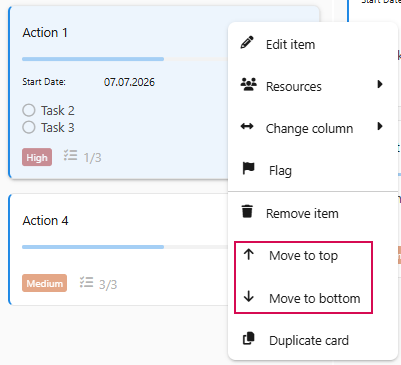
➢Right-click the action. ▶ A drop-down menu opens.
➢Click Move to top or Move to bottom to move the action up or down.
Move actions to another column:
➢Select the action you want to move.
➢Use drag-and-drop to move the action to the desired column.
Oder
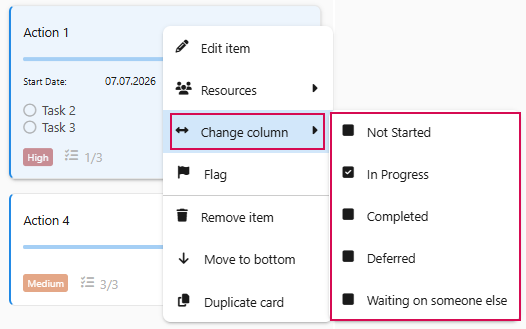
➢Right-click on the action. ▶A drop-down menu opens.
➢Go to Change Column.
➢Click on the desired state.