Compare Variants Feature
|
Configure Settings for Content Pages > TPG Scheduler Configuration > Compare Variants Feature |
This setting allows you to display multiple project variants simultaneously.
➢Check the Enable checkbox to activate this setting.

Configure variant colors:
➢Enter the desired color in the projectVariantColors-x field.
▶ All required fields are marked with a red asterisk.
▶ The number of colors you add also determines how many variants can be selected at the same time.
▶ You can add up to 4 colors.
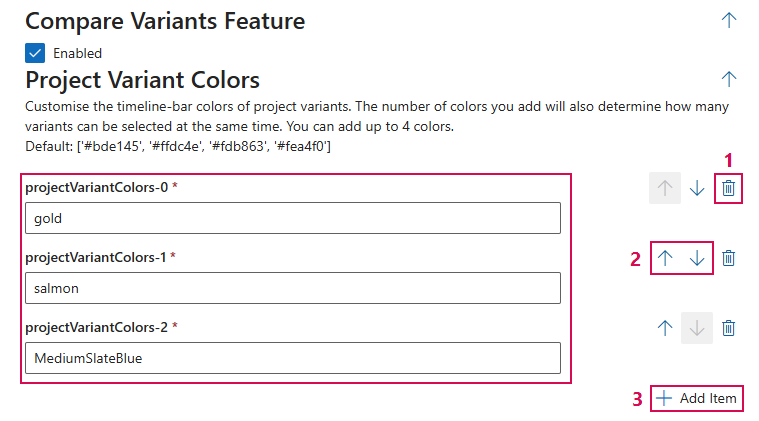
Additional editing options:
➢Click the Delete icon to delete a field. (1)
➢Click the up or down arrow to change the order of the fields. (2)
➢Click Add Item to add a field. (3)
Complete the configuration:
➢Click Submit at the very bottom to apply the settings.