Gantt Icons
Gantt icons allow you to display additional symbols directly in the Gantt chart. The symbols appear on a specific date within the task and are useful, for example, for highlighting important milestones, delivery dates, or other relevant events.
▶ All required fields are marked with a red asterisk.
➢Click Add item. ▶ The input fields appear.

▪Identifier: Unique technical name of the Gantt icon.
▪Indicator Name: Display name of the Gantt icon.
▶ This name describes the purpose of the icon and can be used, for example, in legends or configuration dialogs
▪Date Field: Name of the task field that contains the relevant date.
▶ The icon is displayed in the Gantt chart on this date.
▪Icon class name: Defines the icon to be displayed, as well as its formatting and color.
▶ This property consists of one or more CSS classes.
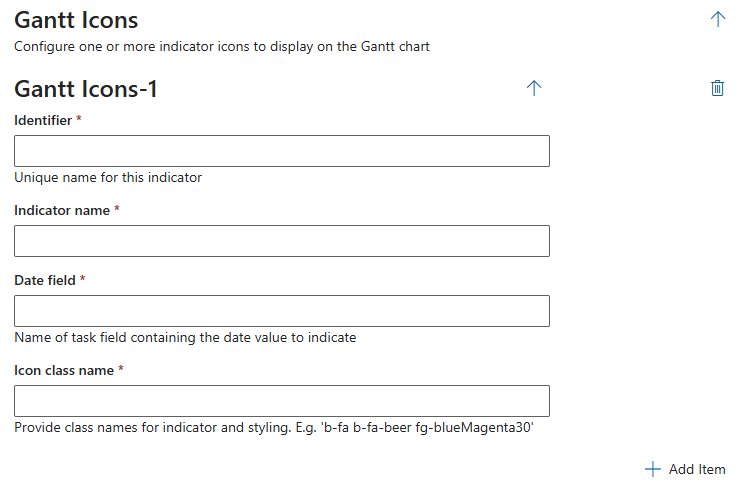
Additional editing options:
➢Click the Delete icon to delete a field.
➢Click Add Item to add a field.
Complete the configuration:
➢Click Submit at the very bottom to apply the settings.