Create Task
The tasks for the project are created in the Schedule.
The following describes how to create new tasks, tasks on the same level, tasks above and below, subtasks and milestones.
Create new task:
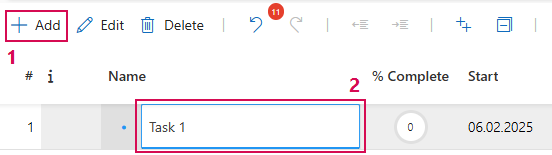
➢Click on the Add button. (1) ▶ A new task is created.
➢Enter the task name (2) and confirm with the Enter button.
Insert task on the same level:
Repeat the process described above to create a task on the same level.
➢Click on the Add button. ▶ A new task is created.
➢Enter the task name and confirm with the Enter key.
Add further tasks and milestones:
Further tasks and milestones are added via the drop-down menu:
➢Right-click on a task. ▶ The drop-down menu opens.
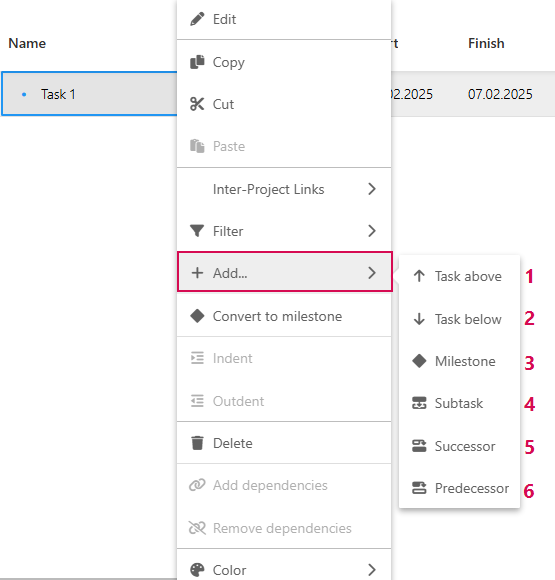
➢Click on Add. You can create further tasks and milestones:
➢Click on Task above. (1) ▶ Task on the same level is inserted.
➢Click on Task below. (2) ▶ Task on the same level is inserted.
➢Click on Milestone. (3) ▶ Milestone is inserted at the same level.
➢Click on Subtask. (4) ▶ Task at next lower level is inserted.
➢Click on Successor. (5) ▶ Task that follows the current task is inserted.
➢Click on Predecessor. (6) ▶ Task that precedes the current task is inserted.