Shifting time-phased data
|
Planning Procedure > Commitments and Updates > Shifting time-phased data |
When resources are not committed as requested, the project plan needs to be changed. In most cases, you will shift project work on the timeline.
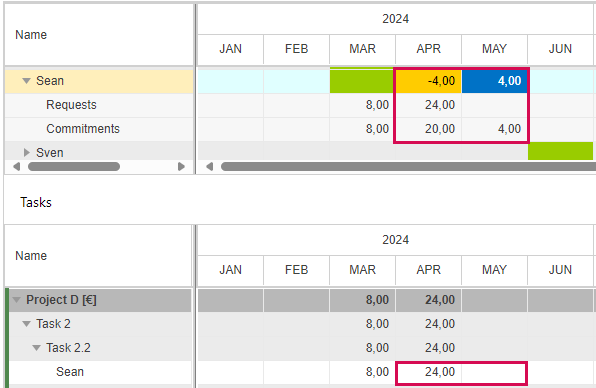
In the example below, Sean was requested for 24 hours in April, but the team manager committed 20 hours in April and 4 hours in May.
▪To shift the project work, click any entry of Sean in the upper table of the Commitments view.
The Tasks table will show Sean's tasks.
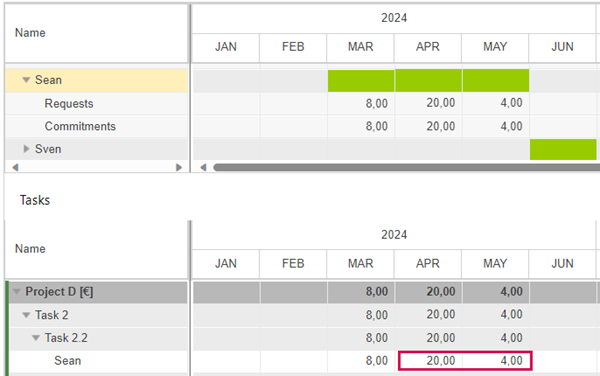
▪Adapt the work values in the Tasks table.
If the changed values equal the committed values or differ by less than 10%, the cells in the upper table will turn green.