Row sorting
|
Work Interface and Views > Plan > Row sorting |
The sub-items of the groups in the Name column can be sorted for each group individually. The sorting will not be saved.
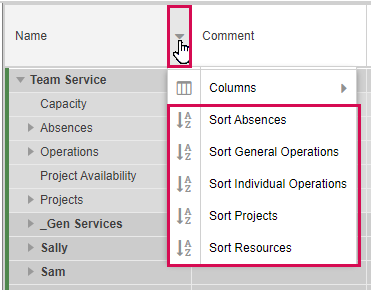
▪Click the arrow that appears in the Name column header and select the group to be sorted.
If there are user-defined groupings, they will be included in the options.
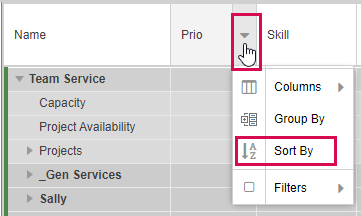
Projects and Resources can be sorted by custom fields. For example, you can sort projects by priority or resources by skill.
▪ Click the arrow that appears in the header of the corresponding column and select Sort By.