Portfolios

➤ The user who creates a portfolio will automatically be the owner of the portfolio. Currently, the owner cannot be changed. Only the owner can create and edit scenarios based on the portfolio in TPG PortfolioManager. Therefore, write permissions in TPG PortfolioManager require the permission to create portfolios in TPG CoReAdmin.
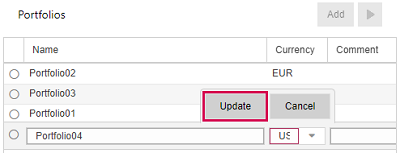
▪To create a portfolio, click Add above the Portfolios table.
▪Fill out the fields.
Empty fields with a red border are required.
The Owner field shows the name of the current user, it be changed to another User.
▪Click Update.
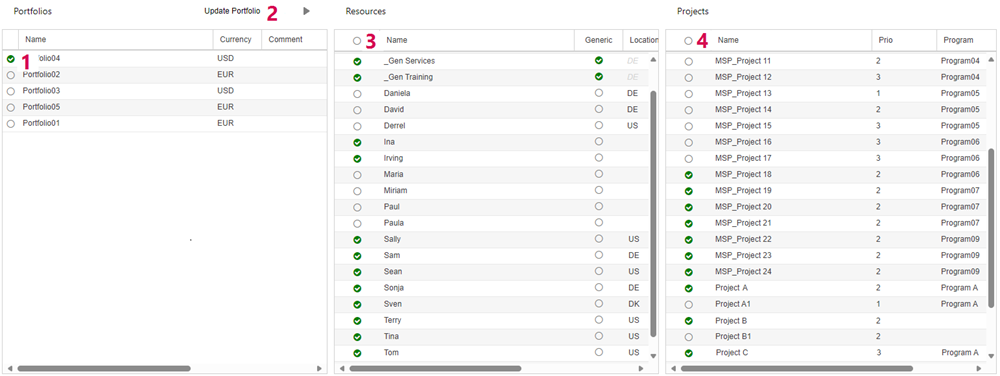
▪Select the portfolio (1).
The Resources table will show all available resources.
▪Select the resources you want to include in the portfolio (3).
The Projects table will show the projects to which the selected resources are assigned.
▪Select the projects you want to include in the portfolio (4).
➤ It is possible to add but not to delete portfolio resources and their projects later. In TPG PortfolioManager, resources and projects can be deleted from the scenarios.
▪Click Update Portfolio above the Portfolios table (2).
With this click, a scenario based on this portfolio will automatically be created in TPG PortfolioManager.