Timeline range
|
Work Interface and Views > Table views > Timeline range |
By default, the timeline shows years on the main scale and 24 months as planning units on the lower scale, starting with the current month. You can shift the timeline or change the number of visible planning units with the buttons in the Timeline group of the menu bar.
▪To shift the timeline start back or forward by one unit on the main scale, click the double arrows.
▪To shift the timeline start back or forward by one planning unit, click the single arrows.
▪To change the number of planning units to be shown, click Scope.
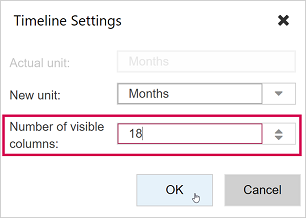
▪Enter the desired number of visible columns and click OK.

➤ For changing the units themselves, see Timeline units.