Editing capacities or general resource data
|
Planning Options > Editing resources > Editing capacities or general resource data |
Resource capacities and other resource properties can be edited. The capacity of personal resources must be greater than or equal zero. The capacity of generic resources is zero by default and can be changed to a positive or negative value.
Other information about a resource, e.g. skills or department affiliation, is shown in custom fields in the left part of the table.
➤ When you update the resource, the changes you made will be overwritten by the source data.
▪Expand the field of a resource in the resource table.
▪To change information in the left part of the table, double-click in the cell and enter or select the desired value.
▪If you want to change the capacity, select Histogram Data in the Show group of the Resources tab.
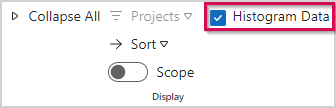
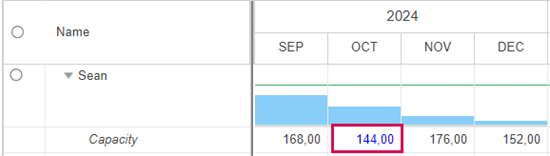
▪Edit the value in the desired time phase of the Capacity row.
You can enter time-phased data after a single or double click in the cell.
Changed capacity values are shown in blue.
▪To copy a value per drag and drop, enter the value in the first cell and drag the bottom right corner of the cell to the end of the period.


