Matrix
The Matrix view shows the assignment of the team resources to the projects. Here, you can make a rough planning by assigning resources to projects before going into detail in the Scenario view.
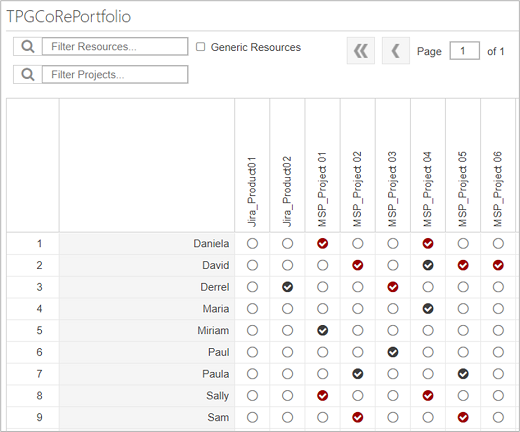
 Red background: assignment with time-phased data imported from the source project.
 Black background: assignment without time-phased data imported from the source project.
Assignments can be established by selecting the appropriate checkbox(es). Removing the checkmarks deletes the assignments.
➤ When you delete an assignment marked in red, a confirmation / warning prompt is displayed: You are removing an assignment with time-phased data or custom field values! Would you like to continue?
When you delete an assignment marked in black, there is no confirmation / warning prompt.
Time-phased project work data saved in the source projects will be reloaded when you update the scenario, the projects or resources (see Loading source data).