Assigning resources to tasks
|
Planning Procedure > Assignments > Assigning resources to tasks |
▪To switch to the Matrix view, select the project summary task and click Matrix in the Views group of the menu bar.
▪Assign resources to the tasks by activating the appropriate checkbox.
By default, you can assign resources also to summary tasks and the project summary task.
The background of the checkmark will turn red when time-phased data are entered for the assignment.
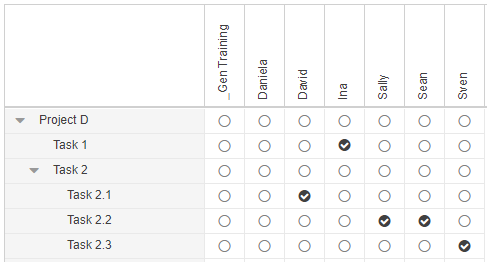
▪To delete an assignment, deactivate the checkbox.
The next step is to assign work values in time phases.