Adding enterprise projects
Your company may be planning projects that do not yet have any assignments to your team but will need resources of your team. These projects will not be added to your plan via the import function. Instead, you can add them individually:
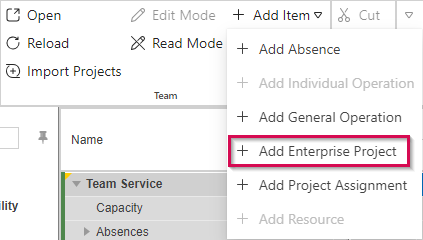
▪In the Edit group of the menu bar, click the arrow next to Add Item and select Add Enterprise Project.
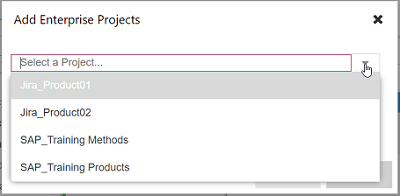
▪Select the project(s) from the drop-down menu.
Alternatively, type the beginning of the project name and select from the filtered options.
▪Click OK.
The project will be listed only on the project level of your plan as no team resource is assigned yet.
▪Assign members of your team to the project (see Adding resources to projects) and commit them for at least one time phase (see Committing personal resources).
➤ When you import projects next time, projects that do not have any request or commitment data will be deleted from the team plan.