Committing projects
When the data for absences and line operations are entered and the projects are imported, you can start the commitment process.
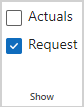
➤ If the Request and Commitments rows are not shown, select Request in the Show group of the menu bar:
The first line of the plan shows the remaining availability of the team for project work.
The Projects row shows the overall status of all project commitments. After the first project import, this row as well as the individual project rows are shown in red because the requests have not yet been committed to.
This section explains how to
▪commit resources for an entire project at once
▪commit personal resources
▪add resources to the project team
▪commit personal resources to the work of generic resources
▪avoid resource conflicts