Coloring
|
Work Interface and Views > Report > Coloring |
Colors can be assigned to each item of a diagram individually.
▪In the table below the diagram, click in the color cell of the respective item to open the color picker.
When the Report view is opened for the first time, all color cells are white.
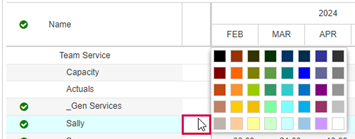
▪Select a color from the color picker.
The cell as well as the column or line in the diagram will change to the selected color.
