Entering time-phased data
|
Planning Procedure > Assignments > Entering time-phased data |
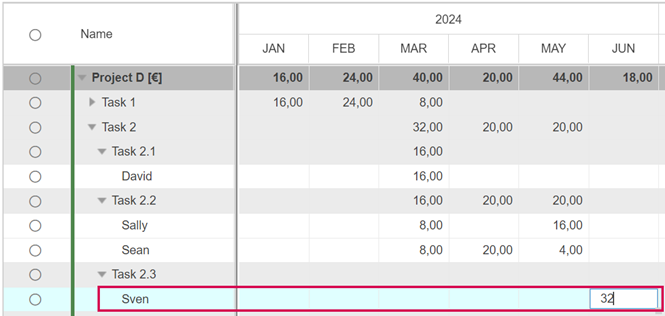
When resources have been assigned to the project tasks, you plan the effort per time phase in hours. This can be done in the Task view. By default, planning units are set to months. You can change the units to weeks, quarters or years (see Timeline units).
All time-phased data are entered in the white lines, i.e. in the resource lines.
Rows with a gray background are read-only. They contain automatically transferred or calculated values.
➤ You can enter time-phased data after a single or double click in a cell.
▪For each task and resource, insert the estimated number of hours in the respective cells of the timeline.
For periodic activities, you can enter the same value for many subsequent time phases by drag and drop:
▪Enter the value in the first cell of the period and drag the bottom right corner of the cell to the right.



When the effort is estimated, the next step is to check if the project can be executed as planned or if changes are necessary due to resource availability.