Project tasks
|
Work Interface and Views > Plan > Details table > Project tasks |
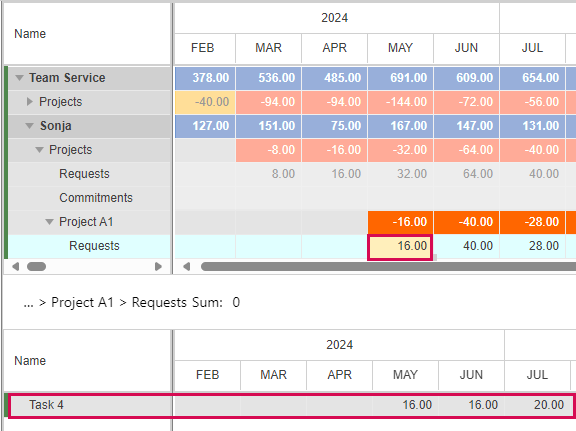
In the Details view, you can display the project tasks of a resource request:
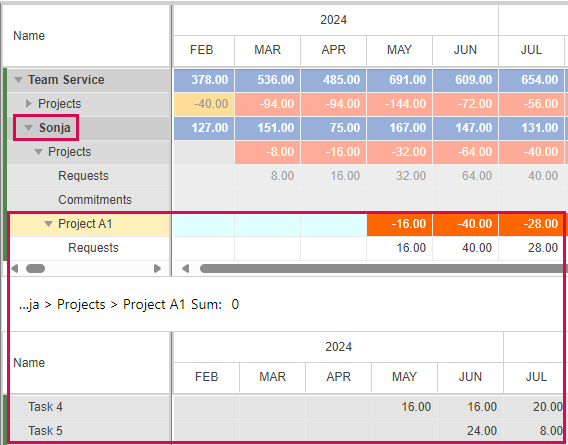
▪In the main table, expand the field of a resource.
▪Select a project from the sub-items or click the Requests row of that project.
The respective tasks and their time-phased data will be shown in the details table.
If you click a cell in the Requests row under the timeline, only the tasks which have data in the selected time phase will be displayed: