Bug Fix: Incorrect Colors in Report Pack
In the Portfolio Dashboard, the colors for health indicators were not matching the labels (green, yellow, red). Additionally, the colors for criticality were displayed incorrectly. They should also be green, yellow, and red.
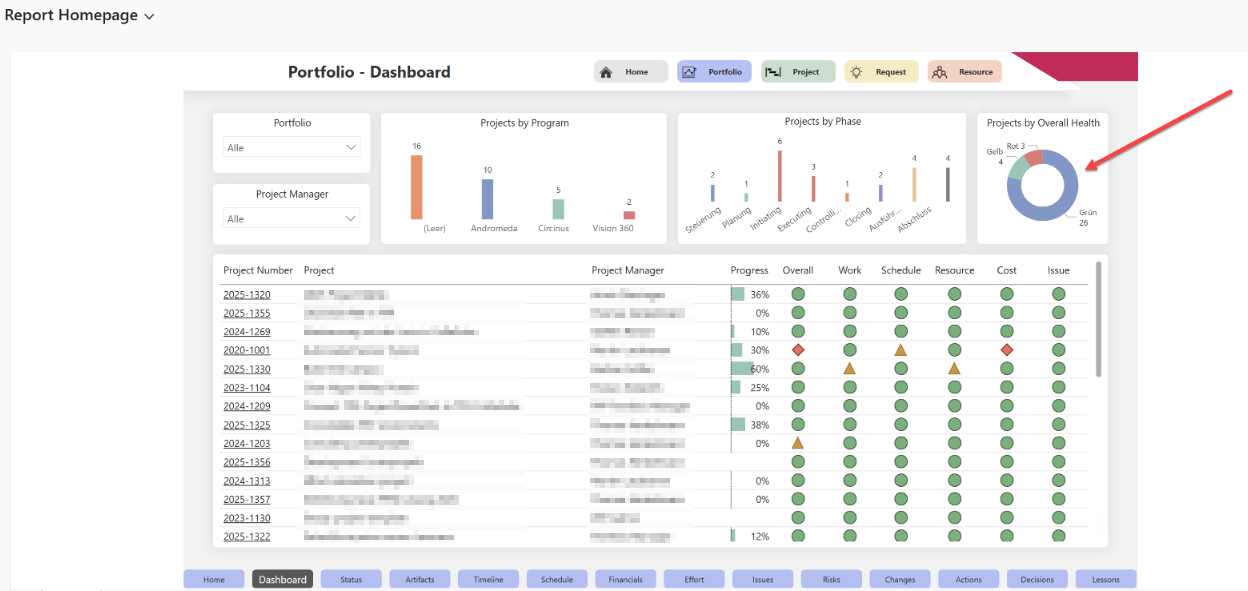
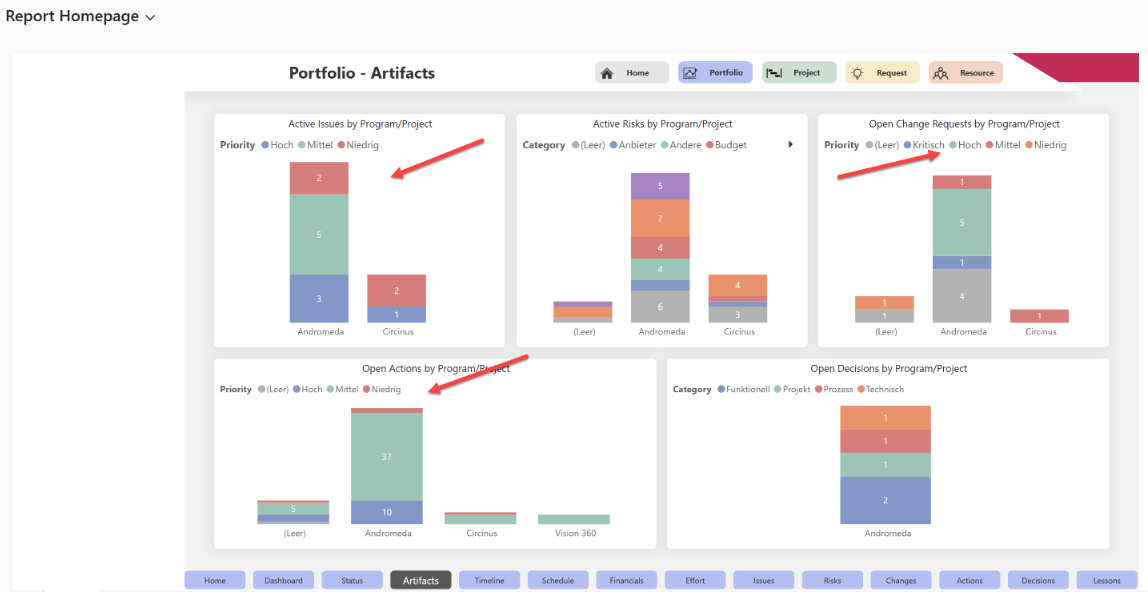
This bug has been fixed: The health colors are now displayed correctly (green, yellow, red), and the pages use green, yellow, and red colors for indicating low, medium, and high criticality, respectively.