Changes to License Verification
There have been some changes to the license check in the latest version:
1.New procedure for license validation.
License verification now consists of two steps:
▪Selecting the product from a drop-down list.
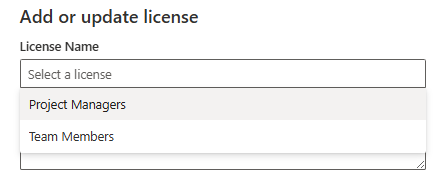
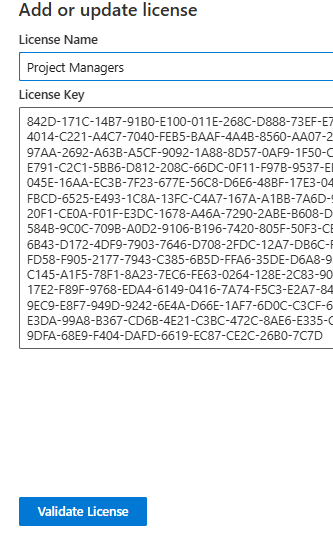
▪Paste the license key (from the license file) into a text field.
▶ Only then will the Validate License button become active, which starts the check.
2. Automatic update of license data.
▪Existing license entries are updated.
▪If no entries exist, new ones are created.
3. Extended License Overview.
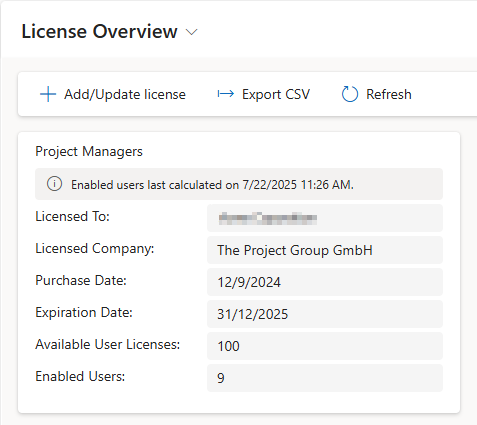
The license cards now show additional information:
▪Licensee and company
▪Purchase and expiration date
▪Number of available and activated user licenses
▶ The number of activated users is recalculated with each license update.
4. Renaming of products & cleanup.
▪Collaboration → Team Members
▪Planning → Project Managers
▪Licenses for MS Teams and Timesheet have been removed.
▶ An automatic process ensures that:
▪The new names are adopted.
▪Old, no longer valid licenses are deleted.