User can add Team Tasks to their Timesheet
Overview
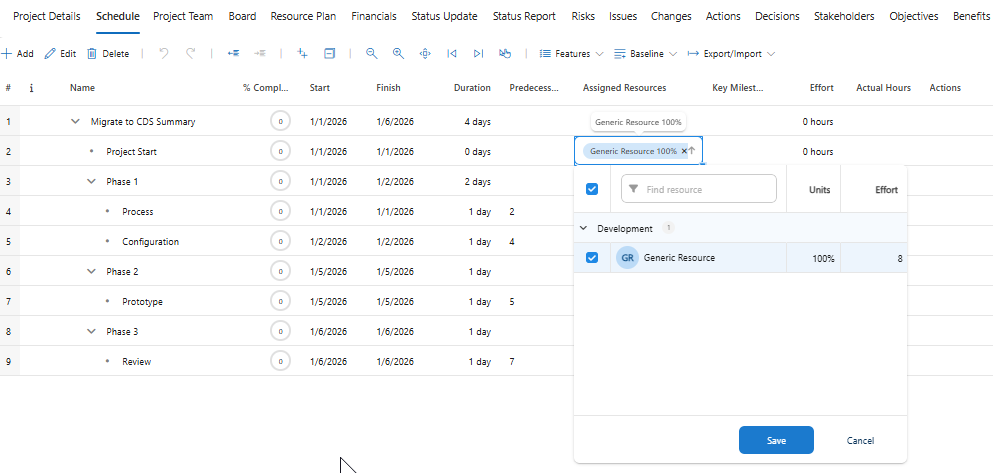
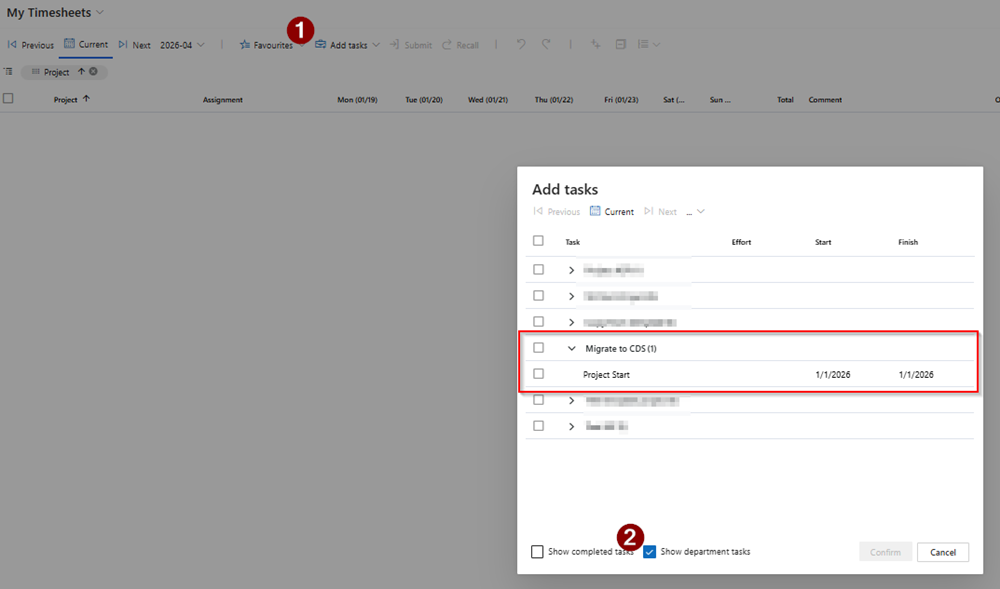
Adds a "Show department tasks" option to the Timesheet "Add tasks" dialog so any team member can pull in tasks assigned to their department's generic resources, not just their own named assignments.
Key benefits
▪Faster staffing of team-owned work – Team members no longer wait for schedulers to clone tasks per person; they self-serve tasks already assigned to their departmental pool.
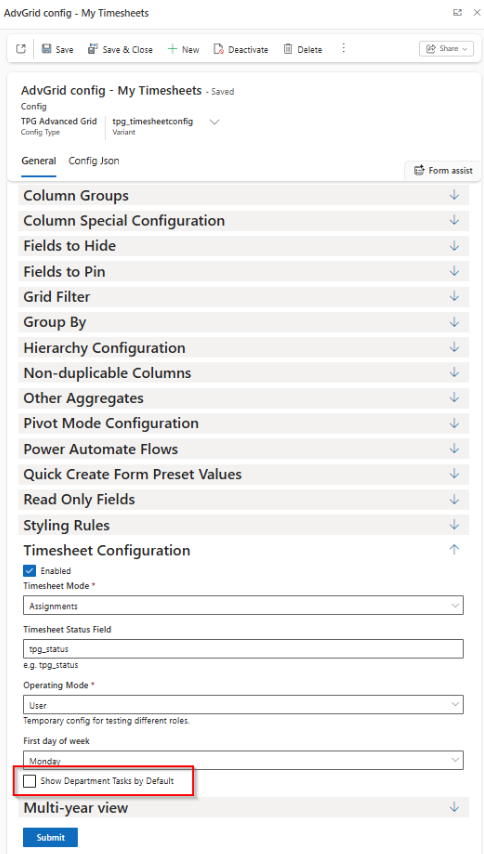
▪Configurable rollout – Admins decide whether the new checkbox is checked by default via the JSON schema flag, so tenants can pilot with select departments first.
User experience examples
▪Before: QA tasks assigned to a generic "QA Team" resource never surfaced in an individual's Add Tasks list; schedulers duplicated assignments or users manually edited timesheets.
▪After: A QA engineer opens Add Tasks, ticks "Show department tasks," and immediately sees every generic QA assignment sharing their department (tpg_resourcepool.tpg_dept). They select tasks and log time without scheduler intervention.
Config example
In advgrid-schema.json, set timesheet.showDeptTasksDefaultChecked: true to pre-enable the checkbox for all users running the timesheet grid:
{ "timesheet": { "showDeptTasksDefaultChecked": true } }
Troubleshooting
▪Checkbox missing or disabled: Confirm the grid is running in Timesheet mode and the config payload includes the timesheet block; otherwise the feature is hidden.
▪No tasks appear when enabled: Ensure the user's resource record is linked to at least one department and that generic resources in that department use ResourceType = Generic. Locked tasks (tpg_locked = true) are intentionally filtered out.