Role-based visibility for Timesheet views
Timesheet views are now restricted based on the user’s security role.
This ensures that timesheet users only see views that are relevant and intended for their role, making the timesheet view menu clearer and easier to use.
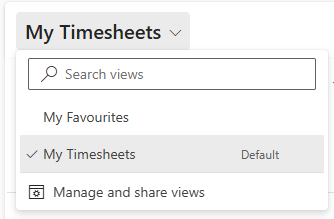
For non–Project Managers, the following views are no longer shown in the standard view selector, for example:
▪All Timesheets
▪Approved by me
▪Inactive timesheets
▪My Approvals
▪Timesheet Project View
View visibility is now controlled using role-based system views. An additional post-upgrade step automatically enables this feature in the environment.