Hide Tabs Based on Project Phase
|
PPP Scheduler Changes > Scheduler Base > Hide Tabs Based on Project Phase |
Administrators can now configure project tabs to be automatically hidden based on the current project phase.
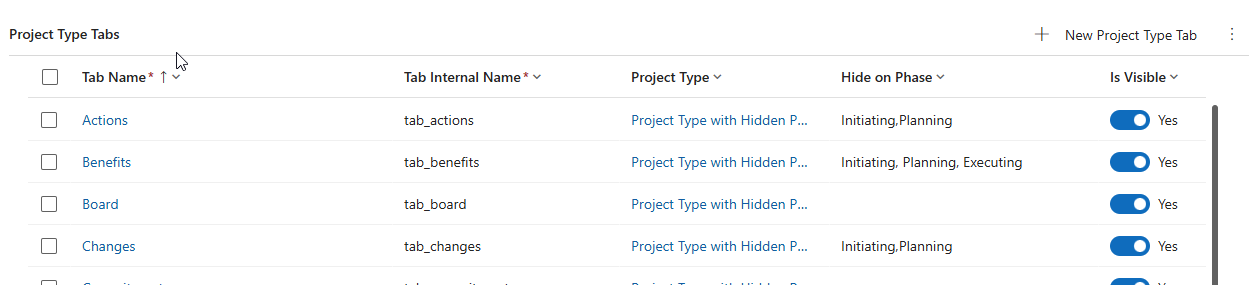
A new field, Hide on Phase, has been added to the Project Type Tab configuration. By specifying one or more workflow phases, the corresponding tab will be hidden whenever the project is in one of those phases.
For example:
▪The Actions, Benefits, and Changes tabs can be hidden during the Initiating and Planning phases.
▪The Benefits tab can additionally be hidden during the Executing phase.
To simplify configuration, phase names are evaluated case-insensitively, and any extra whitespace is ignored, helping to prevent issues caused by minor input inconsistencies.