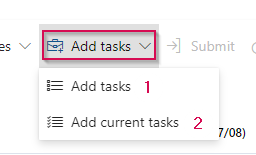
Add tasks button in Timesheet with dropdown
This feature allows you to add your assigned tasks to the current period. A new “Add tasks” dropdown now provides two options:
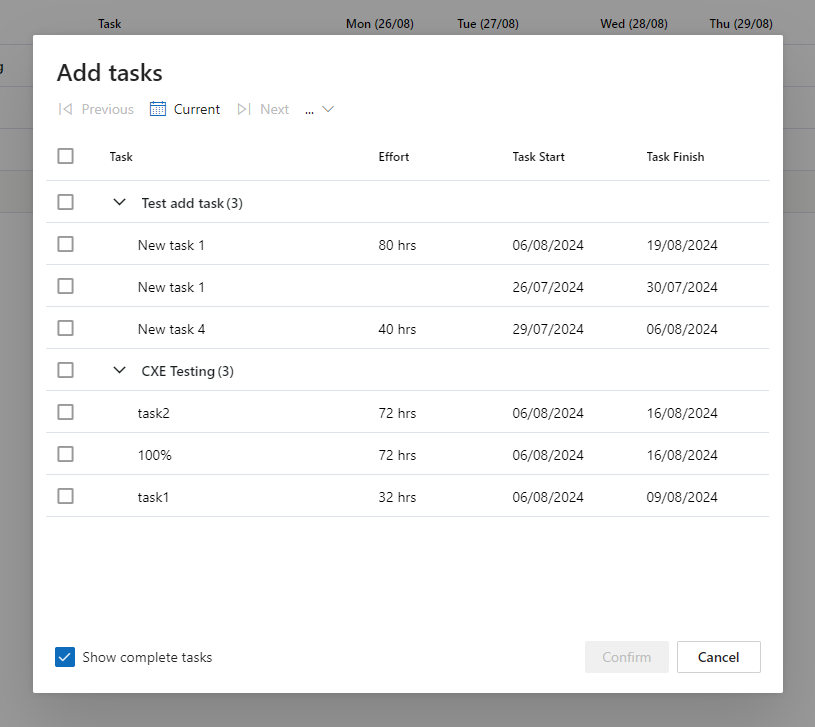
▪Add tasks (1): Opens a dialog box displaying a list of tasks assigned to the current user. The list is grouped by project (collapsed by default). This list shows the full list of all assigned tasks. A period can be chosen by selecting a period from the dropdown. It is also possible to show tasks already completed.
▪Add current tasks (2): Automatically adds tasks from the current timesheet period (i.e., tasks that start or finish within the current timesheet period) directly to the timesheet.