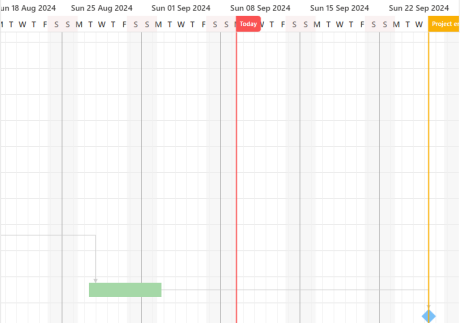
Scheduler Gantt show time range with current date marker
When the Gantt chart is displayed previously it would always scroll to the project’s start date. Tis behavior has been changed and the following two rules have been added.:
▪If the project is currently active (i.e., the start or finish date overlaps with today’s date), the Gantt chart will automatically scroll to today’s date
▪If the project is not active, the Gantt chart will scroll to the project’s start date.