Assign more than 100% units to a resource
It is now possible to assign any resource with more than 100% units to a task. It is also possible to set the default maximum units of a Generic resource to more than 100% in the Resource properties. This is typically used for Generic resource planning, where one resource can equal multiple people.
▪Open Schedule on a project
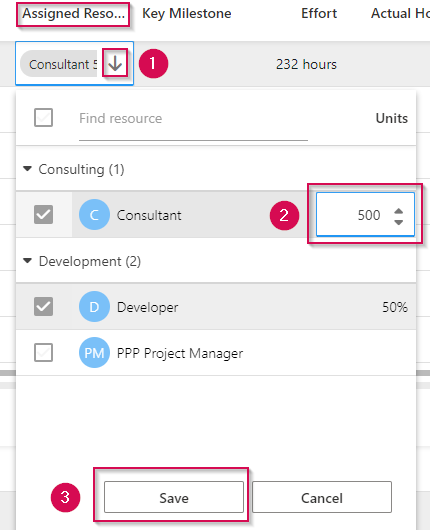
▪Choose the resource you want to edit in the Assigned Resource column. Double-click on the cell that contains the resource.
▪Click the arrow to open the drop-down menu (1)
▪Double-click in the Units cell and change the value. (2)
▪Click Save (3)