Italian Language Support available
The Italian language support has been added to the TPG Scheduler. It is now possible to change the User Interface Language and the Help Language to Italian.
▪Click Settings
▪Click Personalisation Settings
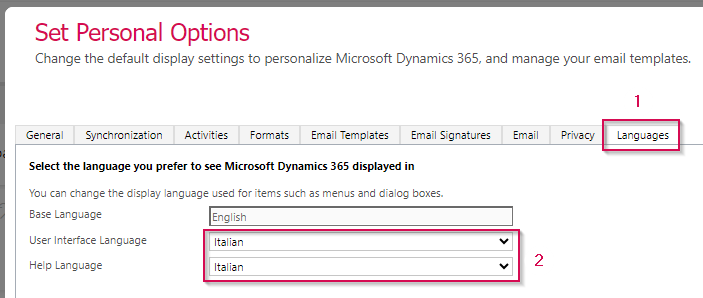
▪Click the Languages tab (1)
▪Choose Italian in the User Interface Language drop-down menu . The Help Language is automatically changed to Italian. You can switch to another Help Language in the drop-down menu. (2)
▪Click OK
▶ The language support has been switched to Italian.
▶ The Italian language support has also been added to the Timesheets App. Use the same procedure as described above to change the language in the Timesheets App.