Execute Integration Jobs via the Add-In
After setting up the integration, you can execute your integration job directly from within the Ribbon of the TPG MS Project Desktop Integration Add-In:
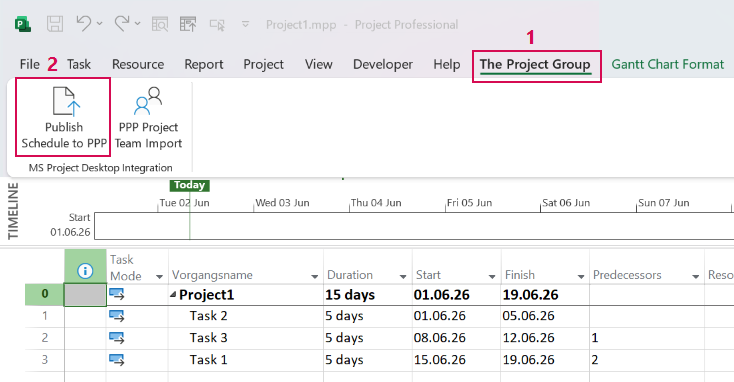
➢Open MS Project.
➢Go to the The Project Group tab. (1)
➢Click on the configured Integration Job e.g Sync. (2)
| ▶ | The selected integration job is executed (for example, MPP is synchronized with TPG PPP), and the corresponding data is synchronized according to the job configuration. |
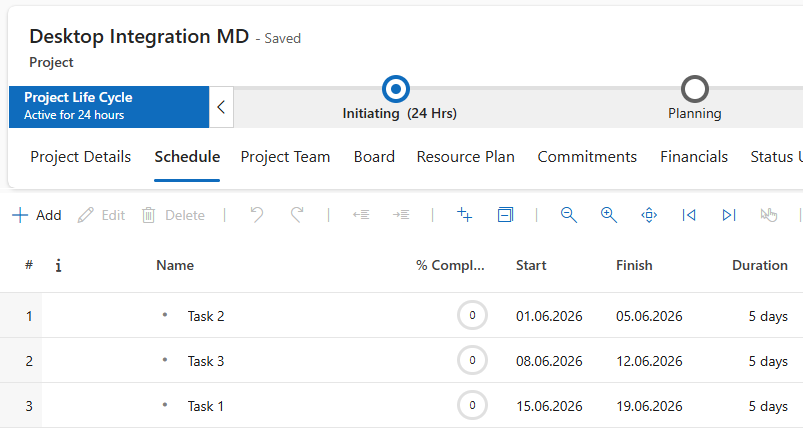
➢Open the desired TPG ProjectPowerPack project.
▶ The schedule created in MS Project appears in PPP.