Actions - delete and move across projects
|
Actions > Actions - organize across projects > Actions - delete and move across projects |
In the Kanban board for cross-project actions, you can assign actions to a different state or project and delete actions.
Delete action:
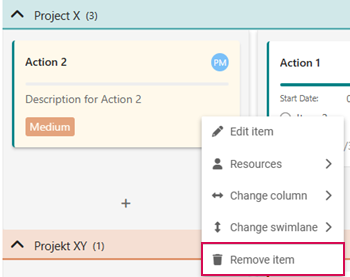
➢Select the action you want to delete.
➢Right-click on the action. ▶ A drop-down menu opens.
➢Click on Remove item.
Move actions:
There are several options for moving actions. The actions can be moved within a column and a swimlane or to other columns and swimlanes.
➢Select the actions you want to move.
➢Move the action to the desired column and swimlane using drag & drop.
Or
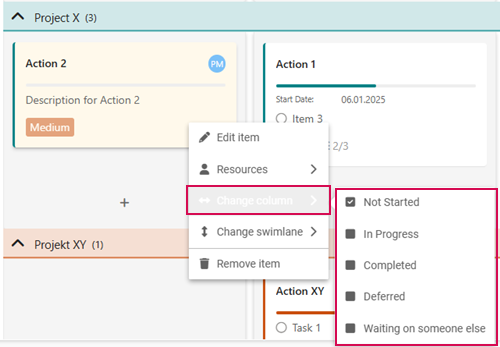
➢Right-click on the action. ▶ A drop-down menu opens.
➢Go to Change column.
➢Click on the desired column.
Or
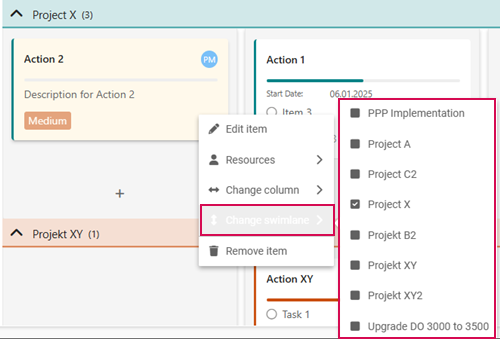
➢Right-click on the action. A drop-down menu opens.
➢Go to Change swimlane.
➢Click on the desired swimlane.