Create and view drivers
|
Drivers > Create and view drivers |
In the Portfolio Strategy section of the Navigation bar, you can create or view drivers, depending on your permissions.
▶ The ability to create or edit drivers depends on your user role and access rights.
Create drivers:
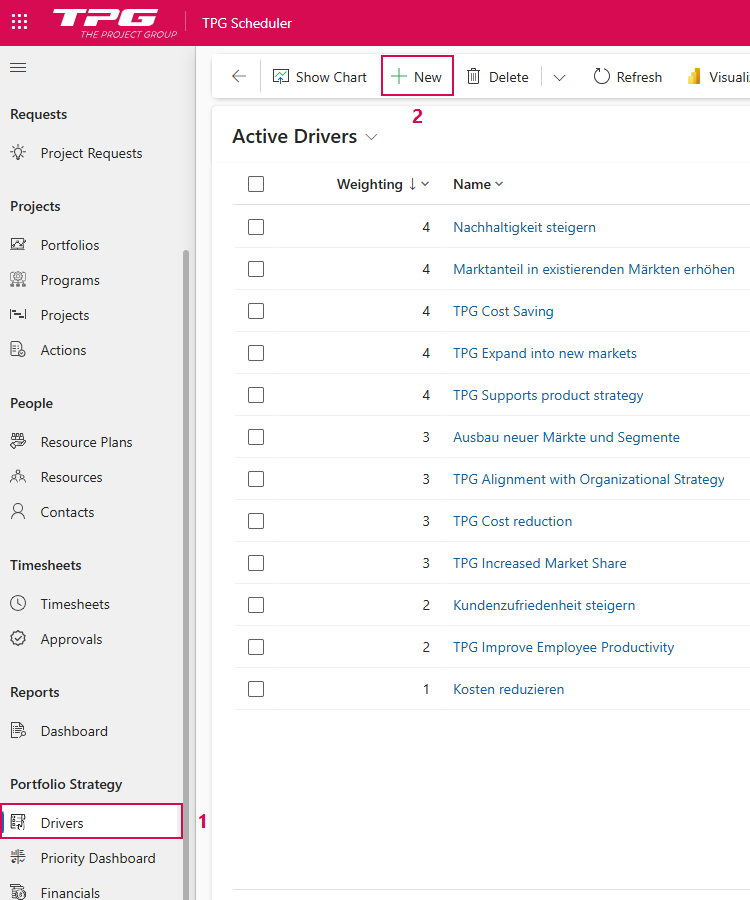
➢Click Drivers in the Portfolio Strategy section of the Navigation bar. (1) ▶ A list of all active drivers is displayed.
➢Click New in the Command bar. (2) ▶ The New Driver form opens.
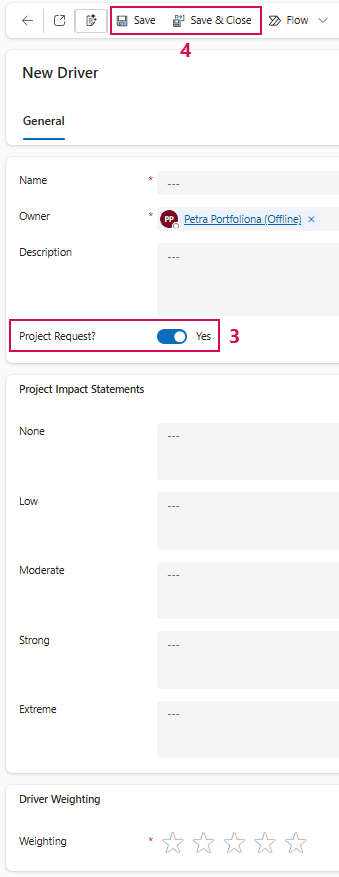
➢Fill out the New Driver form. Select Yes for Project Request? (3)
➢Click Save or Save & Close. (4)
▶ A new driver is created.
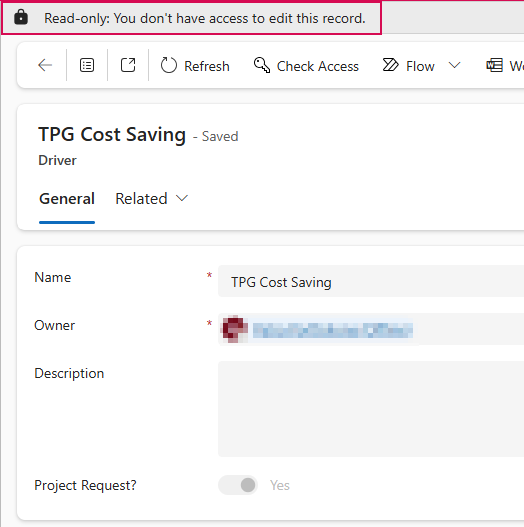
Even without permission to create, you can view the details of an existing driver:
➢Click on the desired driver in the overview.
▶ The read-only form with the driver details opens. You can view the information, but not edit it.