Load and rate drivers
|
Drivers > Load and rate drivers |
Loading drivers:
To load drivers in your project, proceed as follows:
➢Open the desired project.
➢Go to the Drivers tab.
➢Click Load drivers.
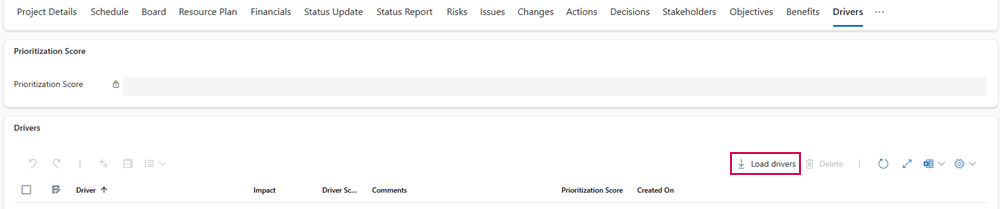
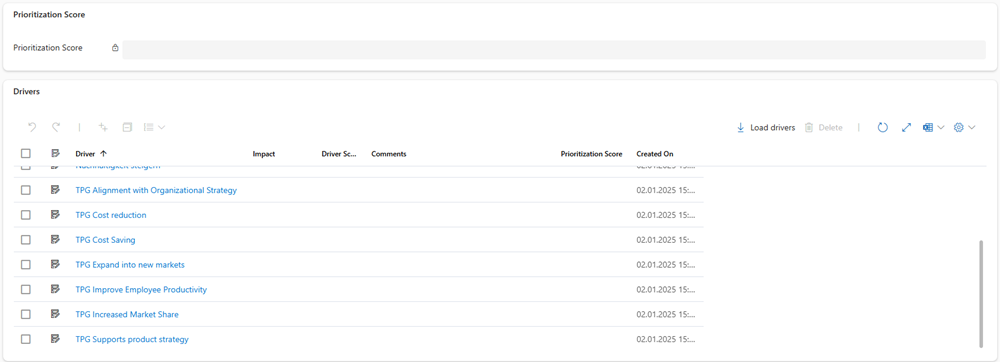
▶ A list of all active drivers is displayed.
Deleting drivers:
You can delete drivers that are no longer needed as follows:
➢Click the checkbox in front of the desired driver.
➢Click Delete.
▶ The driver is deleted from the project.

Rate drivers:
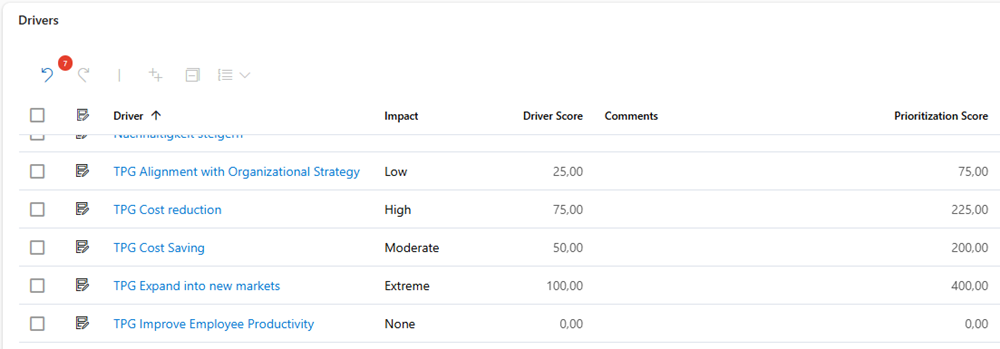
You can specify the impact of a driver on the project as follows:
➢In the Impact column, click the cell of the desired driver. ▶ A drop-down menu opens.
➢Click on the desired impact level.
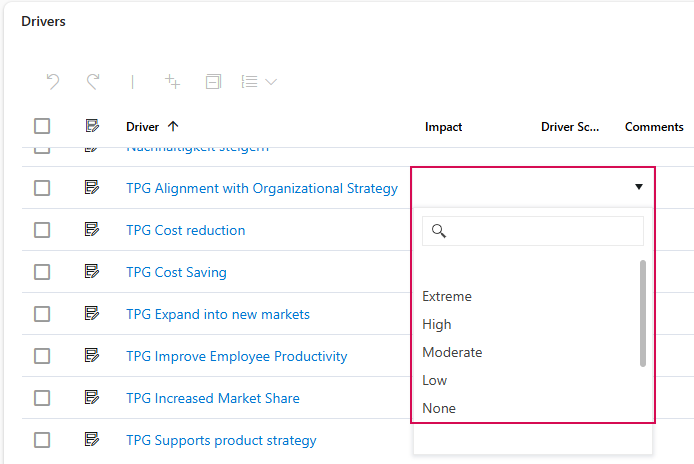
▶ The Driver Score column is filled in automatically. The Driver Score is based on the degree of impact and indicates how strongly a driver influences the project.
▶ The Prioritization Score is calculated automatically. The Prioritization Score is based on the Driver Weighting and helps you decide which drivers should be considered first.
Display driver weighting:
➢Click on the desired driver to open its detailed view.
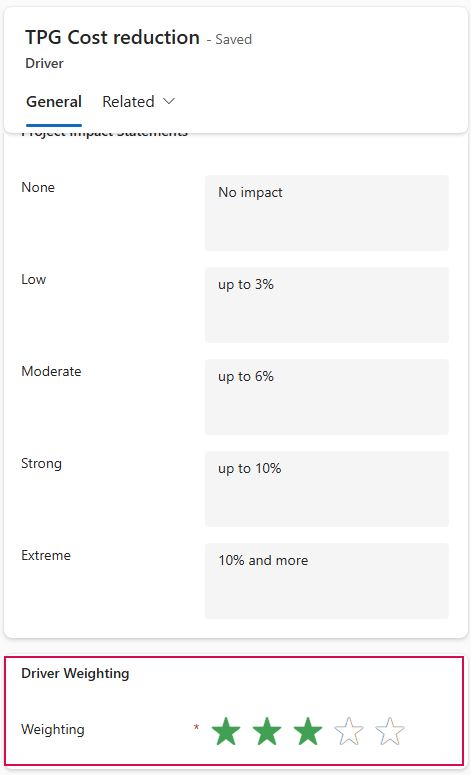
▶ The Driver Weighting is displayed there in the form of a star rating:
▪0 stars = lowest weighting
▪5 stars = highest weighting