About
|
Areas > About |
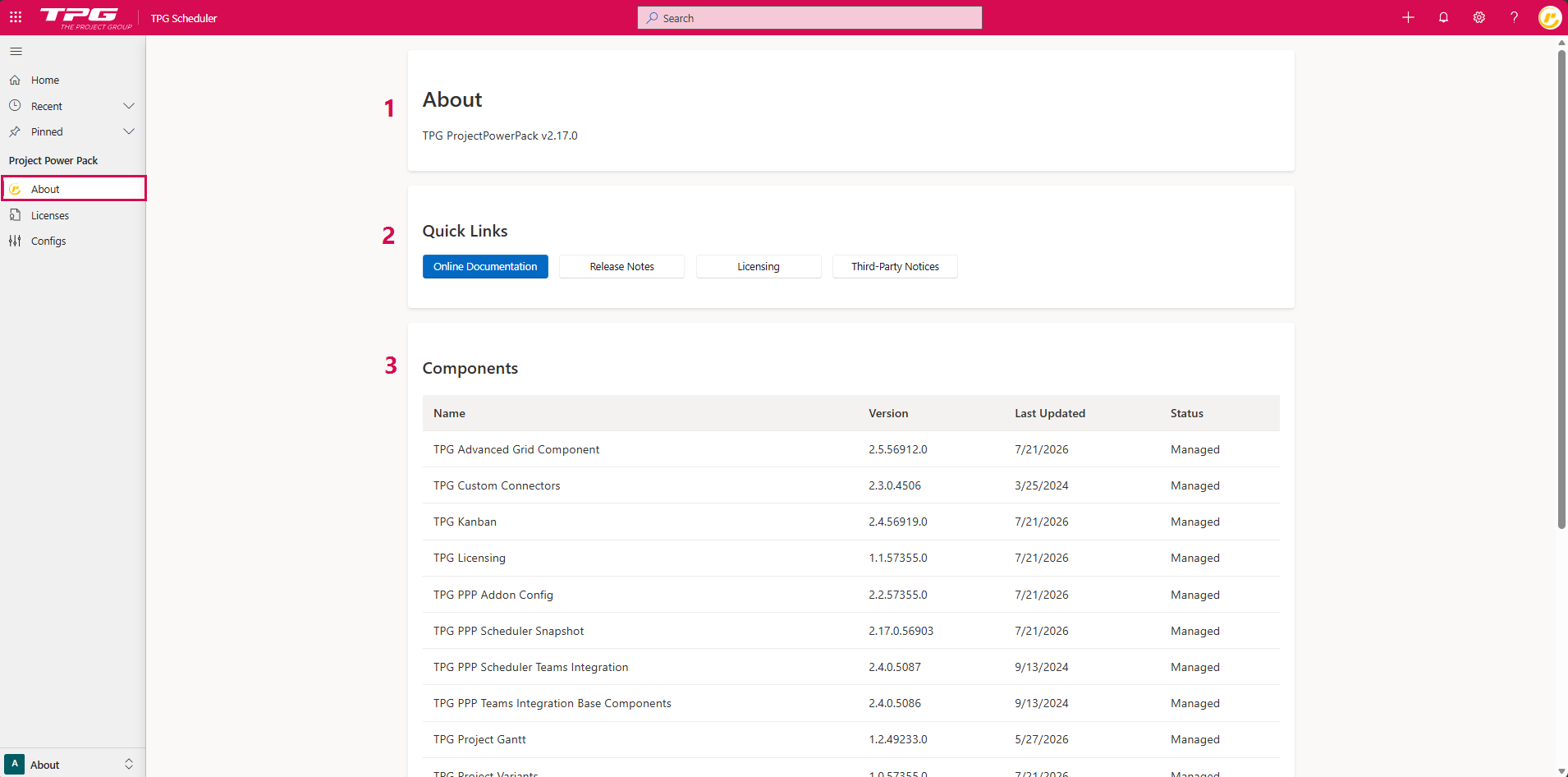
In the About section, you will find important information about PPP:
▪Version number (1)
▪Links to user manuals/online documentation, release notes, licenses and third-party notices (2)
▪Integrated components (3)
To access the product information, follow these steps:
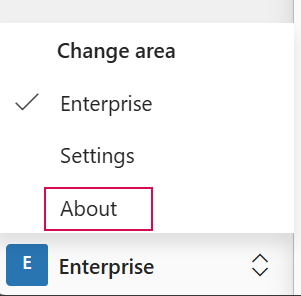
➢Click on Enterprise in the bottom navigation bar. ▶ A drop-down menu will appear.
➢Click on About.
▶ The About section with the product information will open.
Opening User Guides and Release Notes:
➢Click on Online Documentation to access the User Guides.
Or
➢Click on Release Notes to access the Release Notes.
▶ The TPG Help Portal will open.
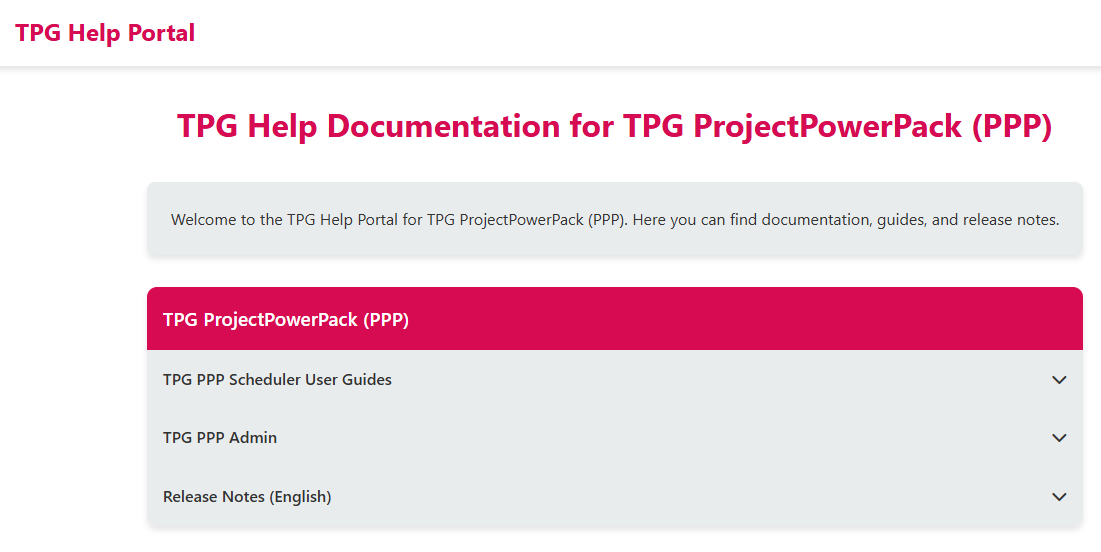
➢Click on TPG Scheduler. ▶ A drop-down menu will appear.
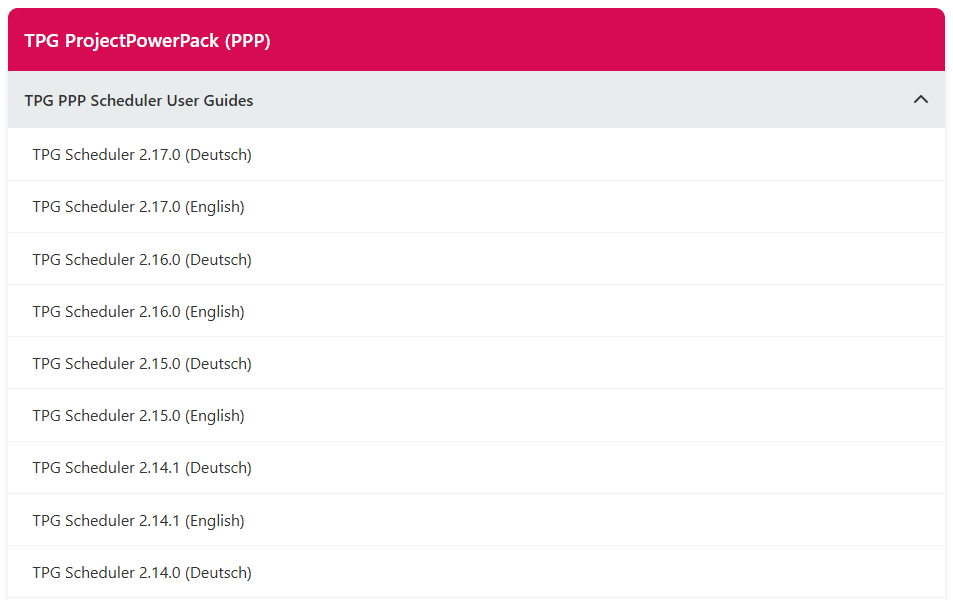
➢Click on the User Guide that corresponds to the version number of your installed product. ▶ The User Guide will open.
▶ To open the Release Notes, follow the steps described above.
Licensing:
➢Click Licenses to view the license overview.
▶ Updating existing licenses and adding new licenses is described in the Licenses section
Third-Party Notices:
➢Click on Third-Party Notices to view all third-party components used, as well as the associated license and copyright information.
Components:
The Components section provides a complete list of all software components included in the software.
Komponenten |
Erläuterung |
|---|---|
TPG Advanced Grid Component |
Third-party table component used in the following apps: Resource Plan, Commitments, Finance, Timesheets. |
TPG Custom Connectors |
TPG Custom Connectors enable administrators to securely integrate PPP with the company-specific API. |
TPG Kanban |
Component for displaying a Kanban board with project tasks. TPG Kanban is included in the standard installation of PPP. Used in the Board & Actions apps. |
TPG Licensing
|
A component for defining terms of use and permissions and importing a license key. |
TPG PPP Addon Config
|
An app designed for configuring components. Add-ons can be configured without modifying the configuration JSON. |
TPG PPP Scheduler Snapshot
|
Component for creating a snapshot of data. |
TPG PPP Scheduler Teams Integration
|
A component for creating teams in TPG PPP and managing their members. |
TPG PPP Teams Integration Base Components
|
A basic feature for creating teams and managing their members. |
TPG Project Gantt
|
A component for visualizing project timelines in the form of a Gantt chart. Used in the Projects app. |
TPG Project Variants
|
A component for managing and configuring different project variants within a project. |
TPG ProjectPowerPack CoReSuite
|
Component for connecting PPP and CoReSuite. |
TPG ProjectPowerPack with Scheduler
|
TPG PPP with an integrated scheduler |
TPG Risk Matrix
|
A component for assessing and presenting project risks based on their probability of occurrence and impact in a risk matrix. |
TPG Scheduler
TPG Scheduler Component
|
Components for scheduling project-related tasks. |
TPG Scheduler Bulk Importer
|
Component for automatically importing large amounts of data into the scheduler. |
TPG Scheduler Variants
|
A component for managing and configuring different versions of projects/tasks within the scheduler. |
TPG Timesheet
|
Component for tracking project-related working hours of assigned resources.
|