Configure Settings for Content Pages
On content pages, administrators can configure specific components to tailor their behavior, appearance, and available features to the needs of their organization.
The available settings depend on the specific component and content page. They are configured directly in the settings for the relevant component and allow you to show or hide options, define default behavior, or customize the user interface.
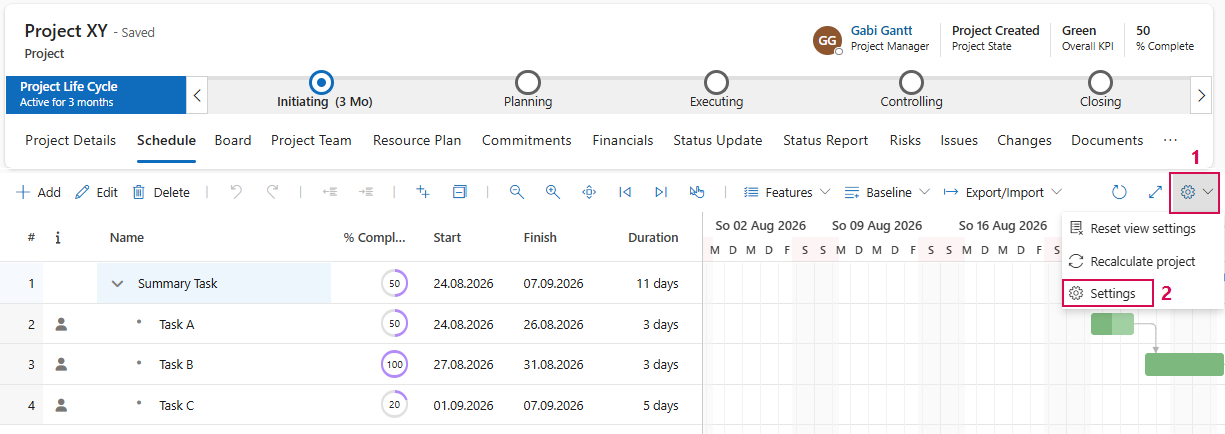
To open the configuration panel:
➢Click the gear icon. (1)
➢Click Settings. (2)
▶ The configuration panel opens.
The following sections describe the most important configuration options, their typical use cases, and their effects on the respective content page:
▪TPG Advanced Grid Configuration