Create Rollup
|
Task planning > Task Attributes > Create Rollup |
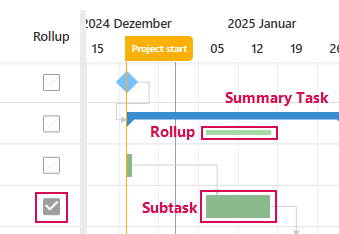
In the TPG Scheduler, you can display subtasks in the Gantt chart directly below the bar of the higher-level summary task:
➢Show the Rollup column. (see Schedule - Table) ▶ Checkboxes appear in the task rows.
➢Click on the checkbox of the subtask in the Rollup column.
▶ The subtask appears directly below the parent task in the Gantt chart.
Or
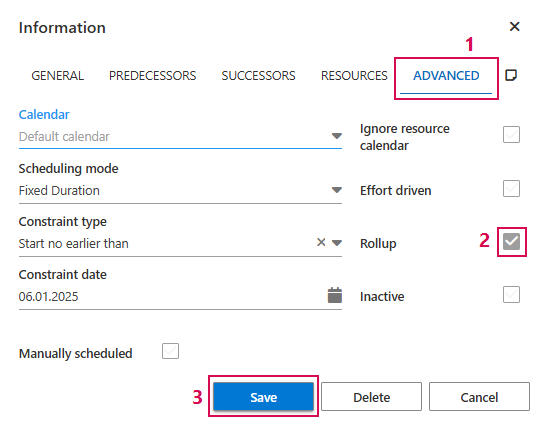
➢Open the information Window of the task. (see Define dependencies between Tasks - Information Window)
➢Click on the Advanced tab. (1)
➢Click on the Rollup checkbox. (2)
➢Click on Save. (3)
▶ The subtask appears directly below the higher-level Summary Task in the Gantt chart.