Add Users and Applications
Add a User:
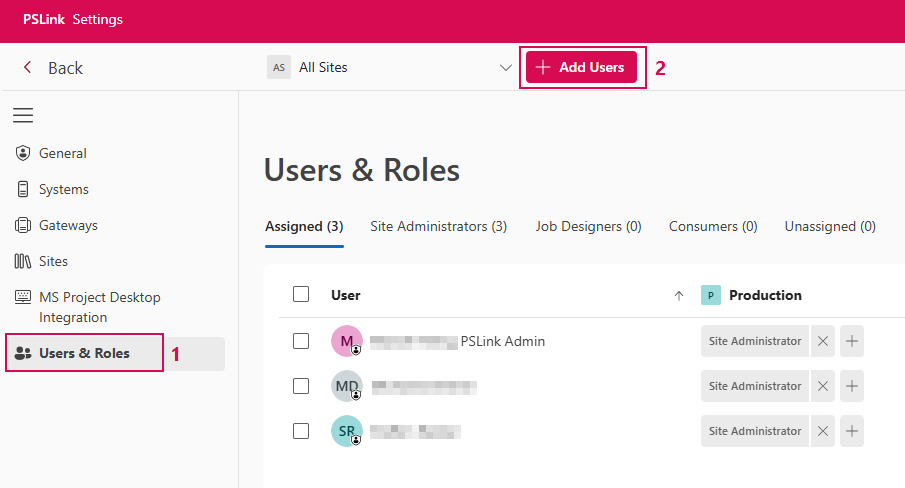
➢Open Users & Roles. (1)
➢Click Add Users. (2) ▶ The Users section opens by default. Here you’ll find a list of all users.
➢Enter the name of the desired user in the search field to narrow down the list. (3)
➢Select the desired user from the list.
➢Select the user in the results list. (4)
➢Click Add Selection. (5)
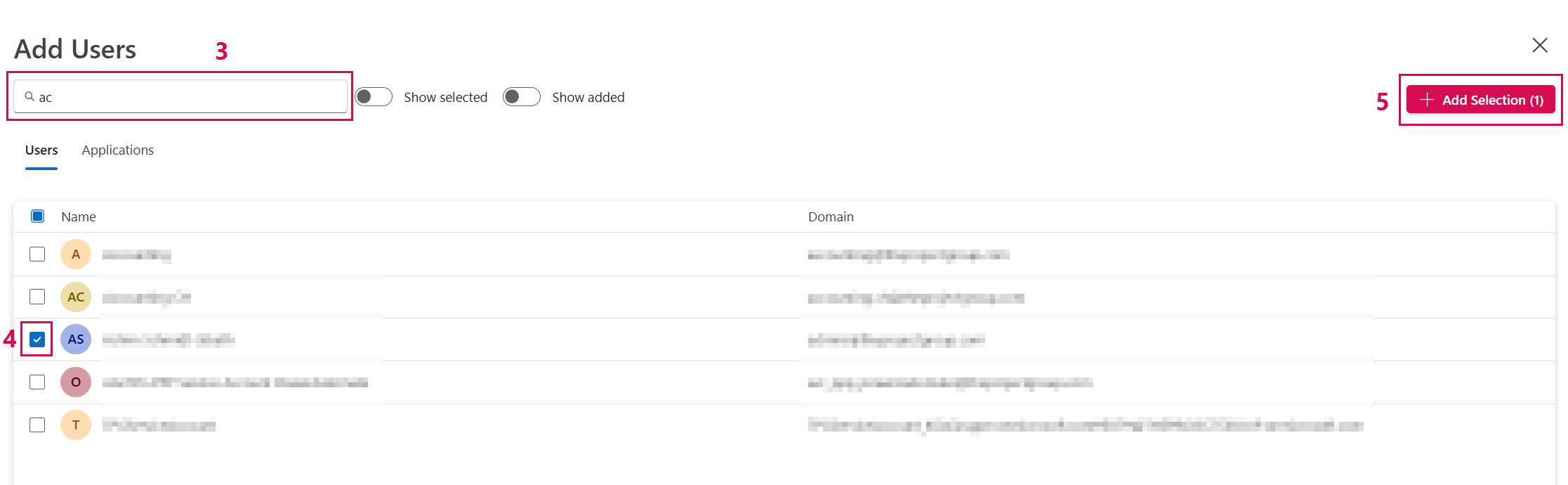
▶ The user is added to the tenant but does not yet have any roles.
Add an Application:
In addition to users, you can also add applications (service principals):
➢Open Add Users.
➢Click Applications. ▶ The Applications section opens. Here you’ll find a list of all applications.
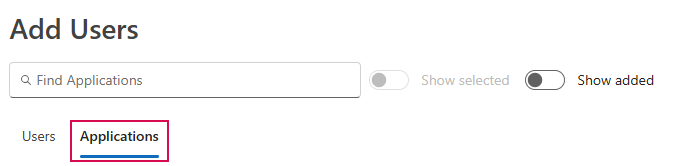
➢Enter the name of the desired application in the search field to narrow down the list.
➢Select the desired application from the list.
➢Select the application in the results list.
➢Click Add Selection.