Copying a scenario
To keep a specific state of data, you can save a copy of a scenario.
➤ You can copy scenarios only if you have permissions for the underlying portfolio. The permissions are granted by the administrator.
▪Open the scenario you want to copy.
It does not matter if the scenario is in the read mode or the edit mode.
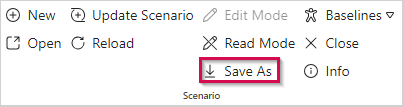
▪Click Save As in the Scenario group of the menu bar.
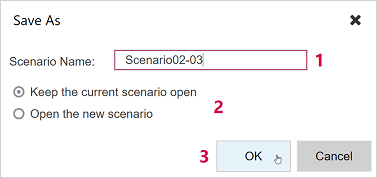
▪Enter a name for the new scenario (1).
▪Choose if you want to keep the current scenario open or open the new one (2).
▪Click OK (3).